


 +91-85304 14111




OUR BLOGS
Our Latest Blogs
06 Oct 2026
By Mohini Dodwade l Construction
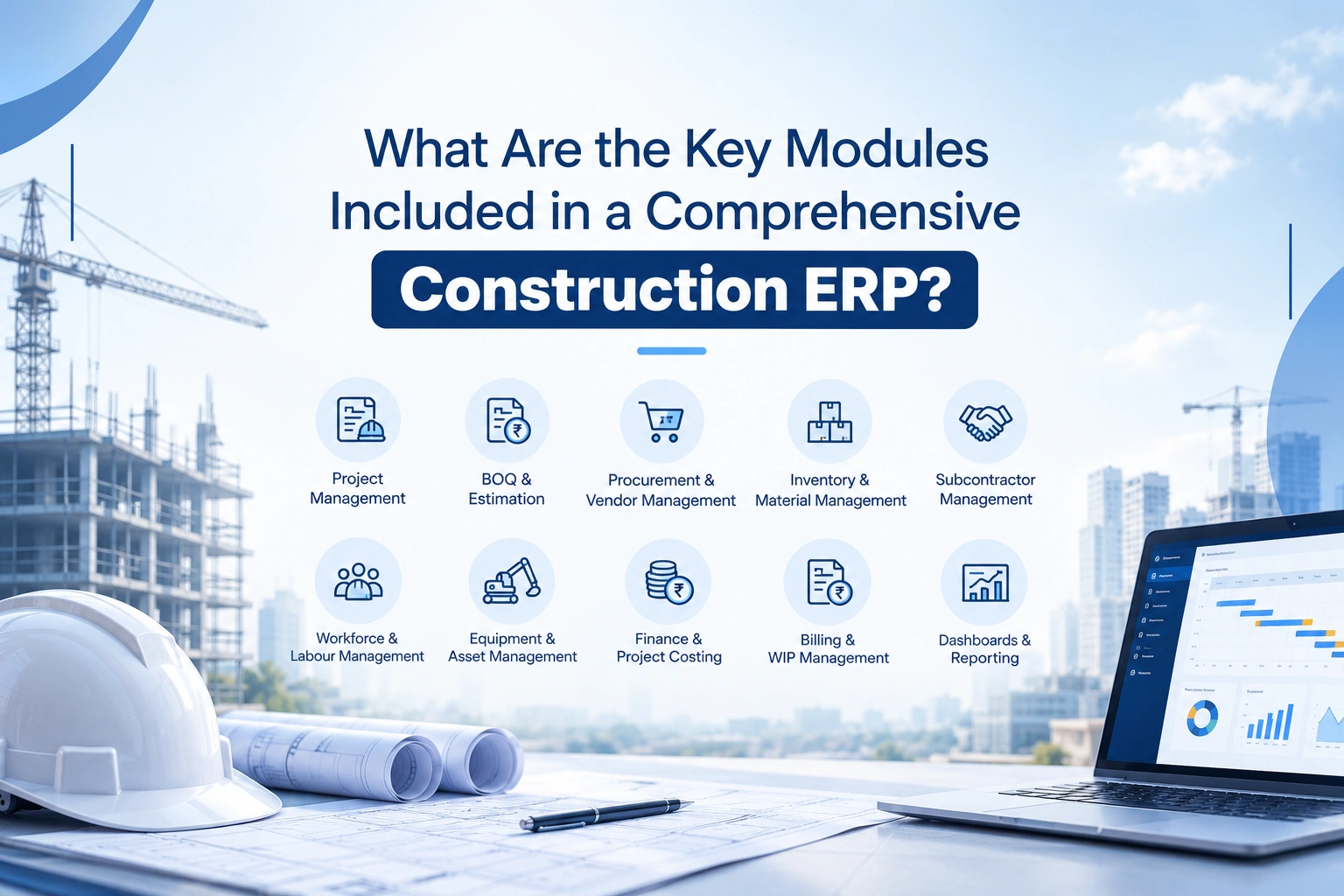
What Are the Key Modules Included in a Comprehensive Construction ERP?
Construction projects involve planning, budgeting, procurement, inventory, labour, equipment, subcontractors and finance. Managing these activities through separate spreadsheets or software can make it difficult to get a clear view of project performance.
A construction ERP brings these functions together in one connected system. Instead of managing each department separately, construction companies can connect project planning, site execution, procurement, inventory and financial information.
For a broader understanding, read our guide on Construction ERP Software: The Complete Guide to Controlling Every Project.
Key Modules of a Construction ERP
A comprehensive construction ERP software should cover the major processes involved in the construction project lifecycle.
1. Project Planning & Management
Project planning is the foundation of successful construction execution. The system should help teams manage project schedules, WBS, activities, milestones, budgets and progress.
Key capabilities include:
- Project planning and scheduling
- WBS and activity management
- Budget tracking
- Planned vs. actual progress
- Multi-project visibility
- Daily progress reporting
A connected approach can improve project control by linking planning with actual site execution. Learn more about Construction ERP for Project Control, see why construction timelines keep slipping, or explore the Project Planning & Execution module. For site teams, a construction ERP mobile app makes daily progress reporting (DPR) possible from the field.
2. BOQ & Estimation Management
BOQ and estimation are critical because they establish the cost and material requirements of a project.
A good construction ERP should allow businesses to manage:
- BOQ preparation
- Quantity and rate management
- Cost estimation
- Budget allocation
- BOQ revisions
- Planned vs. actual quantities
When BOQ information is connected with procurement and inventory, teams can reduce gaps between what was planned and what is actually consumed on site. This is exactly where construction operations break between BOQ and MRN when systems are not connected.
3. Procurement & Vendor Management
Procurement directly affects project cost, material availability and timelines. Construction ERP solutions should connect material requirements with purchasing and vendor workflows.
Important features include:
- Purchase requisitions
- Vendor comparison
- Purchase orders
- Approval workflows
- Goods receipts
- Vendor performance tracking
Read more about Construction Inventory and Procurement Management to understand how these processes can work together, or see how the Purchase Management module handles requisitions, orders and approvals.
4. Inventory & Material Management
Material visibility is another important component of construction ERP software. Construction companies need to know what materials are available, where they are located and how they are being consumed.
A construction ERP can support:
- Site-wise inventory tracking
- Material receipts and issues
- Stock transfers
- Material consumption
- Warehouse management
- Inventory reporting
For a deeper look, explore Construction Inventory Management Software and the Stock Management module.
5. Subcontractor Management
Construction projects often involve multiple contractors and subcontractors. Managing their work, measurements, contracts and payments manually can create delays and discrepancies.
A construction ERP should support:
- Work orders
- Contractor management
- Measurement records
- RA billing
- Payment tracking
- Contract monitoring
See how subcontractor payment certification software helps verify progress claims and avoid overpayment.
6. Workforce & Labour Management
Construction companies need visibility into workers deployed across different projects and sites.
A connected system can help manage:
- Labour attendance
- Workforce allocation
- Contractor labour
- Payroll information
- Labour costs
- Site-wise workforce data
This helps management connect workforce information with project activities and costs. Read more about labour management system software for construction and how labour attendance and payroll software fixes the site workforce blind spot. Attendance can also be automated through the biometric connector.
7. Equipment & Asset Management
Equipment plays an important role in infrastructure and large construction projects. A construction ERP can help companies monitor equipment utilisation, maintenance and project allocation.
Key areas include:
- Equipment allocation
- Usage tracking
- Maintenance schedules
- Equipment costs
- Asset history
- Project-wise utilisation
For infrastructure-focused requirements, see Infrastructure ERP Software in India. You can also read why contractors will need to manage equipment better and explore the Plant & Machinery Maintenance module.
8. Finance & Project Cost Management
Construction ERP should connect financial information with project operations rather than keeping finance completely separate.
Important capabilities include:
- Project accounting
- Budget vs. actual cost
- Expense tracking
- Cash-flow visibility
- Project profitability
- Billing and payments
This gives management a clearer picture of whether projects are progressing according to their financial plan. Accurate cost-to-complete forecasting helps protect project profitability, and the Budget Management and Finance & Accounting Control modules keep budgets and books connected.
9. Billing & WIP Management
Billing and Work-in-Progress management are important for maintaining financial control throughout the project.
The system should support:
- RA billing
- Client billing
- Subcontractor billing
- WIP tracking
- Retention management
- Payment monitoring
These capabilities help businesses identify financial gaps before they become larger project issues. For India-specific requirements, see how leading platforms handle RA billing, BOQ costing and multi-site operations.
10. Dashboards & Reporting
Finally, construction companies need meaningful information from all the data being collected.
A construction ERP can bring project, procurement, inventory, workforce and financial information into management dashboards.
Useful reports include:
- Project performance
- Cost variance
- Procurement status
- Inventory position
- WIP
- Revenue and profitability
- Multi-project performance
Learn why better data visibility is essential for project control and explore the Business Intelligence & Analytics module.
What Should You Look for in Construction ERP Software?
When comparing construction ERP solutions, focus on whether the platform connects different processes rather than simply offering a large number of modules.
Look for:
- Construction-specific workflows
- Real-time project visibility
- Integrated procurement and inventory
- Project-level cost control
- Multi-site and multi-project management
- Mobile access for site teams
- Custom dashboards and reporting
- Scalability for growing businesses
You can also compare these factors with our guide to Best ERP Software for Construction Industry. If you are evaluating options in India, read what companies should look for in ERP software for the construction industry in India, check construction ERP pricing in India, and use the Construction ERP ROI Calculator to estimate savings. Contractors in the UAE can refer to our guide on Construction ERP Software UAE.
Why Construction ERP Matters
The real value of a construction ERP is not simply having different modules in one platform. The advantage comes from connecting those modules.
For example, a material requirement generated during project planning can flow into procurement, inventory, project costing and financial reporting. This reduces duplicate data entry and gives different teams access to more consistent information. See how biCanvas builds an integrated control architecture for construction operations, and why information flow is the backbone of successful construction projects.
This connected approach is particularly useful for businesses managing multiple projects, sites, vendors and resources.
Conclusion
A comprehensive construction ERP should support the complete project lifecycle — from planning and estimation to procurement, inventory, execution, billing and financial reporting.
The right construction ERP software can help construction companies move away from disconnected spreadsheets and create better visibility across projects and operations.
For a broader overview of how these capabilities come together, explore the Construction ERP Software Guide. To see these modules in action, book a free demo with biCanvas or explore the Construction Management bundle.
FAQs
What is a construction ERP? A construction ERP is an integrated software system that connects construction processes such as project management, procurement, inventory, workforce, equipment, billing and finance.
What are the main modules of construction ERP software? The main modules typically include project management, BOQ and estimation, procurement, inventory, subcontractor management, workforce, equipment, finance, billing and reporting. You can browse all biCanvas modules on the Explore page.
Why do construction companies need ERP software? Construction ERP helps connect information across projects, sites and departments, improving visibility and reducing dependence on disconnected systems. Read why fragmented tools, not lazy teams, cause most site delays.
How should I choose construction ERP software? Look for construction-specific workflows, project-level cost control, procurement and inventory integration, mobile access, reporting and scalability. Our guide to the best ERP software for the construction industry covers this in detail.
OUR BLOGS
Our Latest Blogs
06 Oct 2026
By Mohini Dodwade Construction
What Are the Key Modules Included in a Comprehensive Construction ERP?
Construction projects involve planning, budgeting, procurement, inventory, labour, equipment, subcontractors and finance. Managing these activities through separate spreadsheets or software can make it difficult to get a clear view of project performance. A construction ERP brings these functions together in one connected system. Instead of managing each department separately, construction companies can connect project planning, site execution, procurement, inventory and financial information. For a broader understanding, read our guide on Construction ERP Software: The Complete Guide to Controlling Every Project. Key Modules of a Construction ERP A comprehensive construction ERP software should cover the major processes involved in the construction project lifecycle. 1. Project Planning & Management Project planning is the foundation of successful construction execution. The system should help teams manage project schedules, WBS, activities, milestones, budgets and progress. Key capabilities include: Project planning and scheduling WBS and activity management Budget tracking Planned vs. actual progress Multi-project visibility Daily progress reporting A connected approach can improve project control by linking planning with actual site execution. Learn more about Construction ERP for Project Control, see why construction timelines keep slipping, or explore the Project Planning & Execution module. For site teams, a construction ERP mobile app makes daily progress reporting (DPR) possible from the field. 2. BOQ & Estimation Management BOQ and estimation are critical because they establish the cost and material requirements of a project. A good construction ERP should allow businesses to manage: BOQ preparation Quantity and rate management Cost estimation Budget allocation BOQ revisions Planned vs. actual quantities When BOQ information is connected with procurement and inventory, teams can reduce gaps between what was planned and what is actually consumed on site. This is exactly where construction operations break between BOQ and MRN when systems are not connected. 3. Procurement & Vendor Management Procurement directly affects project cost, material availability and timelines. Construction ERP solutions should connect material requirements with purchasing and vendor workflows. Important features include: Purchase requisitions Vendor comparison Purchase orders Approval workflows Goods receipts Vendor performance tracking Read more about Construction Inventory and Procurement Management to understand how these processes can work together, or see how the Purchase Management module handles requisitions, orders and approvals. 4. Inventory & Material Management Material visibility is another important component of construction ERP software. Construction companies need to know what materials are available, where they are located and how they are being consumed. A construction ERP can support: Site-wise inventory tracking Material receipts and issues Stock transfers Material consumption Warehouse management Inventory reporting For a deeper look, explore Construction Inventory Management Software and the Stock Management module. 5. Subcontractor Management Construction projects often involve multiple contractors and subcontractors. Managing their work, measurements, contracts and payments manually can create delays and discrepancies. A construction ERP should support: Work orders Contractor management Measurement records RA billing Payment tracking Contract monitoring See how subcontractor payment certification software helps verify progress claims and avoid overpayment. 6. Workforce & Labour Management Construction companies need visibility into workers deployed across different projects and sites. A connected system can help manage: Labour attendance Workforce allocation Contractor labour Payroll information Labour costs Site-wise workforce data This helps management connect workforce information with project activities and costs. Read more about labour management system software for construction and how labour attendance and payroll software fixes the site workforce blind spot. Attendance can also be automated through the biometric connector. 7. Equipment & Asset Management Equipment plays an important role in infrastructure and large construction projects. A construction ERP can help companies monitor equipment utilisation, maintenance and project allocation. Key areas include: Equipment allocation Usage tracking Maintenance schedules Equipment costs Asset history Project-wise utilisation For infrastructure-focused requirements, see Infrastructure ERP Software in India. You can also read why contractors will need to manage equipment better and explore the Plant & Machinery Maintenance module. 8. Finance & Project Cost Management Construction ERP should connect financial information with project operations rather than keeping finance completely separate. Important capabilities include: Project accounting Budget vs. actual cost Expense tracking Cash-flow visibility Project profitability Billing and payments This gives management a clearer picture of whether projects are progressing according to their financial plan. Accurate cost-to-complete forecasting helps protect project profitability, and the Budget Management and Finance & Accounting Control modules keep budgets and books connected. 9. Billing & WIP Management Billing and Work-in-Progress management are important for maintaining financial control throughout the project. The system should support: RA billing Client billing Subcontractor billing WIP tracking Retention management Payment monitoring These capabilities help businesses identify financial gaps before they become larger project issues. For India-specific requirements, see how leading platforms handle RA billing, BOQ costing and multi-site operations. 10. Dashboards & Reporting Finally, construction companies need meaningful information from all the data being collected. A construction ERP can bring project, procurement, inventory, workforce and financial information into management dashboards. Useful reports include: Project performance Cost variance Procurement status Inventory position WIP Revenue and profitability Multi-project performance Learn why better data visibility is essential for project control and explore the Business Intelligence & Analytics module. What Should You Look for in Construction ERP Software? When comparing construction ERP solutions, focus on whether the platform connects different processes rather than simply offering a large number of modules. Look for: Construction-specific workflows Real-time project visibility Integrated procurement and inventory Project-level cost control Multi-site and multi-project management Mobile access for site teams Custom dashboards and reporting Scalability for growing businesses You can also compare these factors with our guide to Best ERP Software for Construction Industry. If you are evaluating options in India, read what companies should look for in ERP software for the construction industry in India, check construction ERP pricing in India, and use the Construction ERP ROI Calculator to estimate savings. Contractors in the UAE can refer to our guide on Construction ERP Software UAE. Why Construction ERP Matters The real value of a construction ERP is not simply having different modules in one platform. The advantage comes from connecting those modules. For example, a material requirement generated during project planning can flow into procurement, inventory, project costing and financial reporting. This reduces duplicate data entry and gives different teams access to more consistent information. See how biCanvas builds an integrated control architecture for construction operations, and why information flow is the backbone of successful construction projects. This connected approach is particularly useful for businesses managing multiple projects, sites, vendors and resources. Conclusion A comprehensive construction ERP should support the complete project lifecycle — from planning and estimation to procurement, inventory, execution, billing and financial reporting. The right construction ERP software can help construction companies move away from disconnected spreadsheets and create better visibility across projects and operations. For a broader overview of how these capabilities come together, explore the Construction ERP Software Guide. To see these modules in action, book a free demo with biCanvas or explore the Construction Management bundle. FAQs What is a construction ERP? A construction ERP is an integrated software system that connects construction processes such as project management, procurement, inventory, workforce, equipment, billing and finance. What are the main modules of construction ERP software? The main modules typically include project management, BOQ and estimation, procurement, inventory, subcontractor management, workforce, equipment, finance, billing and reporting. You can browse all biCanvas modules on the Explore page. Why do construction companies need ERP software? Construction ERP helps connect information across projects, sites and departments, improving visibility and reducing dependence on disconnected systems. Read why fragmented tools, not lazy teams, cause most site delays. How should I choose construction ERP software? Look for construction-specific workflows, project-level cost control, procurement and inventory integration, mobile access, reporting and scalability. Our guide to the best ERP software for the construction industry covers this in detail.
OUR BLOGS
Our Latest Blogs
29 Sep 2026
By Mohini Dodwade Infrastructure
Infrastructure ERP Software in India: A Project Management Comparison
Managing an infrastructure project involves much more than tracking tasks and deadlines. Project managers have to coordinate budgets, labour, equipment, procurement, subcontractors, materials and site progress across multiple locations. This is why choosing the right Infrastructure ERP Software in India has become important for companies managing large construction and infrastructure projects. A good infrastructure ERP should connect project planning with execution, procurement and financial control instead of keeping each process in a separate system. What Should Infrastructure ERP Software Include? When comparing infrastructure ERP platforms, project-management capabilities should be evaluated across a few key areas: Project planning, WBS and scheduling Resource and labour allocation Project budgeting and cost control Procurement and material planning Subcontractor and vendor management Approval and compliance workflows Mobile access for site teams Equipment and IIoT integration BI dashboards and project reporting The most important factor is how these functions work together. For example, a material requirement generated from a project plan should ideally flow into procurement, delivery, inventory and project costing. For a broader explanation of this connected approach, read our guide on ERP for Contracting & Infrastructure Industry. Infrastructure ERP Software in India: What to Compare Different platforms approach infrastructure management differently. Enterprise platforms such as SAP and Oracle provide broad financial, procurement and project-management capabilities. Construction-focused platforms such as Procore and Trimble Viewpoint place greater emphasis on project execution and field operations. For Indian infrastructure companies, however, local requirements also matter. GST workflows, project-level costing, subcontractor billing, material movement, multi-site operations and local approval processes can significantly affect ERP implementation. This makes the evaluation less about the number of features and more about how well the software fits the company's actual project workflow. biCanvas for Infrastructure Project Management biCanvas is an India-focused enterprise ERP designed for construction, infrastructure and other project-driven businesses. Its project-management capabilities cover areas such as project planning, WBS, WIP, budgeting, procurement, material management, subcontractor management and project reporting. The platform also connects procurement with project requirements. Material planning, purchase workflows, inventory and project costs can be managed within the same operational framework. Companies can also configure approval workflows according to their business processes rather than relying entirely on fixed workflows. For infrastructure organisations managing multiple projects, BI dashboards provide management visibility into project and operational information. Another important capability is IIoT integration, which can connect operational equipment and plant data with enterprise processes where required. This creates a connected flow: Project Planning → Procurement → Material Movement → Site Execution → Cost Tracking → Management Reporting For more detail, read How ERP Simplifies Infrastructure Project Planning. Why Project-Level Cost Control Matters Infrastructure projects can involve thousands of individual transactions across materials, labour, equipment, subcontractors and procurement. A project budget alone does not provide sufficient control. Management needs to understand: Budget → Committed Cost → Actual Cost → Variance An integrated ERP can make this information available at the project or activity level, helping teams identify cost deviations earlier. Our article on Construction ERP: The Backbone of Efficient Construction Management explains how connected project, procurement and financial data can strengthen project control. Procurement and Material Visibility Procurement is another area where infrastructure projects frequently lose visibility. A project may require material weeks before it is actually needed on site. If procurement is disconnected from project planning, teams may discover shortages only when work is ready to begin. Infrastructure ERP software can connect material requirements with purchase requests, vendor quotations, purchase orders, goods receipts and inventory. This provides a clearer chain from project requirement to material availability. For a deeper look at this workflow, read Construction Inventory and Procurement Management. Field Mobility Is Part of Project Control The information shown on a management dashboard is only as reliable as the information coming from the site. Site engineers and supervisors need to record progress, materials, labour, equipment usage and other project information while work is happening. A mobile-enabled infrastructure ERP can reduce the delay between site activity and management visibility. biCanvas provides mobile access for construction workflows, including site reporting and operational activities. Read more about this in Construction ERP Mobile App for Site Engineers. How to Choose Infrastructure ERP Software in India Before selecting an ERP, infrastructure companies should test the platform using an actual project workflow. Ask the vendor to demonstrate: How a project is created and broken into WBS activities. How schedules and progress are tracked. How material requirements are generated. How procurement affects project budgets. How subcontractor work and billing are managed. How site teams submit updates. How project costs are compared with budgets. How management dashboards show project performance. How external systems, equipment or IIoT data can be integrated. A software demo based on generic examples can look impressive. A demonstration using your actual project processes is much more useful. Final Thoughts The purpose of Infrastructure ERP Software in India is not simply to replace spreadsheets. The real objective is to connect planning, procurement, resources, site execution and financial control so that project managers can make decisions using current information. For Indian infrastructure and construction companies looking for a connected, project-focused ERP environment, biCanvas brings together project management, procurement, material management, budgeting, workflows, field operations, IIoT integration and BI reporting. For a broader overview of construction ERP capabilities, explore our Construction ERP Software Guide. The right ERP ultimately depends on project complexity, existing systems, business processes and implementation requirements. Want to see how biCanvas can support your infrastructure projects? Request a demo and evaluate the platform against your current project workflows. Frequently Asked Questions What is Infrastructure ERP Software? Infrastructure ERP software is an enterprise platform designed to connect infrastructure and construction processes such as project planning, procurement, budgeting, inventory, workforce, subcontractors, equipment and reporting. What should Infrastructure ERP Software in India include? It should ideally include project planning, scheduling, budgeting, procurement, material management, subcontractor management, field mobility, compliance workflows and project-level reporting. How does ERP help control infrastructure project costs? ERP connects project budgets with procurement, material consumption, labour, equipment and other expenses, allowing management to compare planned and actual costs and identify variances. Can infrastructure ERP integrate with IIoT systems? Yes. Depending on the platform and implementation, ERP systems can integrate with IIoT, equipment, GPS and other operational systems to bring physical asset data into enterprise workflows. Why is mobile access important for infrastructure ERP? Infrastructure work happens across project sites rather than only in offices. Mobile access allows site teams to record progress, submit information and complete workflows closer to where the work happens. Is biCanvas suitable for infrastructure projects? biCanvas provides infrastructure-focused capabilities covering project management, procurement, inventory, budgeting, contractor management, equipment and reporting, making it relevant for project-driven infrastructure businesses.
OUR BLOGS
Our Latest Blogs
31 Aug 2026
By Mohini Dodwade Manufacturing
Manufacturing Inventory Management Software: Connecting Stock to Production
A production line does not stop because a plant ran out of raw material. It stops because nobody knew the raw material was running low until the line was already waiting on it. Most manufacturers can tell you what is sitting in their warehouse on any given day, but far fewer can tell you what that stock actually means for tomorrow's production schedule. That gap between knowing what you have and knowing what it will let you produce is exactly the problem manufacturing inventory management software is built to close. Why Spreadsheet Inventory Breaks Down as Production Scales A small manufacturing operation can often get away with tracking stock in a spreadsheet or a basic accounting tool. The moment a plant runs multiple production lines, multiple shifts, or multiple raw material vendors, that approach falls apart. Stock counts go stale between updates, nobody has a single view of what is committed to a pending work order versus what is genuinely available, and reordering becomes reactive instead of planned. Manufacturing inventory management software exists to remove that lag. It gives a plant a live view of stock as it moves, not a snapshot from the last time someone updated a spreadsheet. What Manufacturing Inventory Management Software Actually Needs to Do For a manufacturer running real production volume, inventory software has to do more than count units sitting in a warehouse. It needs to connect stock directly to what the plant is actually producing. Real-time raw material tracking that updates automatically as material is consumed on the line, not through manual entry after the fact Production-linked stock visibility, so a plant knows exactly how much of a raw material is already committed to open work orders versus genuinely free to allocate Batch and lot tracking for traceability, particularly important for manufacturers who need to trace a finished product back to a specific raw material batch Automated reorder triggers based on actual consumption patterns and lead times, not fixed reorder points that ignore how demand actually moves When these pieces are connected, a plant manager stops reacting to shortages and starts seeing them coming days or weeks in advance. Connecting Inventory to What Happens on the Shop Floor Inventory data on its own is only half the picture. The real value comes from connecting stock levels directly to shop floor activity, so a drop in raw material shows up against the production schedule immediately instead of surfacing as a surprise when a line supervisor goes looking for material that is not there. We cover this connection in detail in our piece on automating the shop floor with ERP, where the core argument is that disconnected systems, not missing processes, are usually what cause manufacturing inefficiency. Manufacturing inventory management software is one half of that connection. Without it feeding directly into production planning, even a well-run shop floor is still operating on incomplete information about what it can actually build next. Where This Differs From MES It is worth being clear about what manufacturing inventory management software is not. A Manufacturing Execution System tracks what is happening on the line in real time, machine status, work-in-progress, and quality checkpoints. Inventory management software tracks the material feeding into and out of that process. Our comparison of manufacturing ERP versus manufacturing execution software breaks down where each system's responsibility starts and ends, and the short version is that inventory and MES need to work together, not compete for the same job. A manufacturer evaluating software should be clear on which gap they are actually trying to close before comparing vendors, since a strong MES with weak inventory visibility still leaves material shortages as a blind spot, and the reverse is equally true. Batch Tracking and Traceability Are Not Optional Anymore For manufacturers supplying regulated industries, or working with clients who require material traceability, batch and lot tracking is not a nice-to-have feature. It needs to be built into the core inventory system, not managed as a separate compliance exercise after production is complete. This matters just as much for manufacturers connected to construction supply chains, where a batch of material needs to be traceable back through the plant to the original raw material lot if a quality issue surfaces on site months later. Manufacturing inventory management software that captures batch data automatically as material moves through production removes the need for manual traceability logs that are easy to fall behind on and difficult to audit later. Where Inventory Fits Into the Broader Supply Chain Manufacturing inventory does not exist in isolation from procurement and logistics. A plant's raw material stock is the downstream result of vendor reliability, delivery timing, and demand forecasting further up the chain. We cover this broader connection in our guide on supply chain management software for construction, and the same principle applies directly to manufacturing: inventory visibility is only as useful as the procurement and logistics data feeding into it. A plant with excellent internal inventory tracking but no visibility into incoming vendor deliveries is still flying blind on the timing side of the equation. What to Evaluate Before Choosing Manufacturing Inventory Management Software Before committing to a platform, check whether it actually connects to production planning or simply counts stock as a standalone function. Confirm whether batch and lot tracking is native to the system rather than a manual add-on process. And check whether reorder logic is based on real consumption patterns and vendor lead times, rather than static reorder points that need constant manual adjustment as demand shifts. How biCanvas Approaches Manufacturing Inventory Management biCanvas connects raw material inventory directly to production planning and work orders, so stock consumption updates automatically as production moves rather than through manual reconciliation at shift end. Batch and lot data is captured as part of the same workflow, giving manufacturers traceability without a separate compliance process running alongside production. Because inventory is tied to the same system managing procurement and vendor data, plant managers get a single view from incoming material to finished output, instead of stitching together answers from separate tools. If your plant is still reconciling stock manually against a production schedule that changes daily, you can book a personalised demo to see how connected inventory tracking works against your own production setup. Frequently Asked Questions Is manufacturing inventory management software the same as an MES? No. An MES tracks real-time activity on the production line itself, while inventory management software tracks the raw material and finished goods stock feeding into and out of that process. They are meant to work together, not replace each other. Does manufacturing inventory management software help with material shortages? Yes, by connecting stock levels directly to production schedules and consumption patterns, it flags potential shortages days or weeks in advance instead of when a line is already waiting on material. Why does batch tracking matter for manufacturers who are not in a regulated industry? Even outside regulated sectors, batch tracking makes it possible to trace a quality issue in a finished product back to its raw material source, which matters for any manufacturer supplying clients who expect accountability if something goes wrong downstream.
OUR BLOGS
Our Latest Blogs
08 Dec 2025
By Mansi Jha Ready Mix Concrete
Best Ready Mix Concrete ERP (RMC ERP) in 2026 — Complete Guide
The Ready-Mix Concrete industry has always operated under pressure — tight timelines, strict mix-design requirements, real-time dispatch coordination, unpredictable delays, rising material costs, and the responsibility of delivering consistent quality to every site. In 2026, the complexity has only increased. Customers expect faster deliveries, tighter quality control, and complete traceability, while RMC companies need better control over batching, logistics, and cost to stay profitable. This is where Ready Mix Concrete ERP (RMC ERP) systems play a crucial role. Unlike generic ERPs, RMC-focused solutions are designed specifically to handle batching, raw material planning, fleet management, delivery scheduling, mix-design control, silo-level inventory, and quality assurance. A modern RMC ERP not only improves operational stability but also reduces wastage, prevents errors, and brings transparency across plants. This guide explores the 10 best Ready-Mix Concrete ERP software solutions in 2026, evaluated on depth, reliability, scalability, and real-world usefulness. Why RMC Businesses Are Moving to ERP in 2026 Managing an RMC business manually is becoming increasingly difficult. Plants run multiple batches per hour, fleets are constantly on the move, mix designs need precision, and customers demand instant updates. Plant operators, dispatch teams, supervisors, and accounts teams often struggle with disconnected systems — spreadsheets, WhatsApp messages, handwritten delivery slips, and offline batching reports. RMC ERP solves these challenges by standardizing mix designs, coordinating dispatch in real time, preventing raw material shortages, reducing billing errors, and providing end-to-end visibility — from batching to delivery. Companies adopting RMC ERP in 2026 are seeing a clear improvement in operational efficiency, faster deliveries, reduced wastage, and better cash flow. How We Selected the Top RMC ERP Solutions Every ERP listed in this article was evaluated based on several core parameters: batching integration capability, material consumption tracking, delivery scheduling and fleet management, quality control depth, multi-plant scalability, financial integration, ease of implementation, mobile accessibility, and overall cost-value ratio. Our goal was to highlight platforms that genuinely understand the realities of RMC operations and deliver measurable improvements. 1. biCanvas ERP — Best Overall RMC ERP for 2026 biCanvas stands out because of how well it connects the entire lifecycle of ready-mix operations. While it is widely used across construction, infrastructure, supply chain, and manufacturing, its workflow depth makes it naturally strong for RMC businesses. It brings batching, materials, dispatch, equipment, and financials under one ecosystem, making it suitable for both single-plant operators and large multi-plant companies. The system offers real-time visibility of plant production, inventory levels, order status, and fleet movement. Its dispatch workflows help reduce delays caused by poor coordination, while built-in financial controls ensure every load is tracked until invoicing. What makes biCanvas particularly effective is how smoothly it handles multi-department connectivity — something many RMC companies struggle with when using fragmented systems. The platform doesn’t feel promotional or pushy; instead, it fits organically into the operational needs most RMC companies already recognize. 2. Inntech RMC ERP — Ideal for Small and Mid-Sized Operators Inntech provides an easy-to-understand interface, basic batching integration, and simple inventory management—making it suitable for companies just transitioning from manual operations. It is affordable, quick to deploy, and handles essential workflows without overwhelming teams. While not as comprehensive as enterprise-grade systems, it meets the needs of smaller plants effectively. 3. ReadyMix ERP (TMS) — Strong for Quality-Driven Environments Companies that prioritize mix-design accuracy and testing often choose ReadyMix ERP. It offers strong QC workflows, batch-wise quality records, automated delivery notes, and compliance documentation. Plants with tight quality requirements benefit greatly from its structured reporting and traceability features. 4. QCRETE ERP — Best for Multi-Location Enterprises QCRETE suits organizations operating several RMC plants across regions. Its central dashboards make it easy for management to monitor material consumption, plant performance, and delivery patterns across units. The system also includes advanced QC features, though it requires a longer implementation period and slightly higher investment. 5. E-ReadyMix ERP — Focused on Dispatch & Delivery Optimization This ERP is favored by companies where delivery timelines are the biggest challenge. The software provides route planning, GPS tracking, and dispatch automation, helping teams reduce delays and manage peak hours more efficiently. Its strength lies more on the logistics side than in deep manufacturing workflows. 6. TRANSFLOW RMC ERP — Best for Fleet-Heavy Operations TRANSFLOW is designed for companies managing large fleets of transit mixers, pump trucks, and material carriers. Its dispatch engine and real-time vehicle tracking allow operations teams to maximize fleet utilization. It performs especially well in high-volume RMC markets where vehicle movement directly affects profitability. 7. ERPNext (Customized for RMC) — Flexible and Cost-Efficient ERPNext is an open-source platform that becomes useful when customized for RMC. It can manage sales orders, batching reports, material usage, and billing, but requires development support to match the depth of purpose-built RMC ERPs. It works best for smaller businesses with budget limitations and simple workflows. 8. ReadyMix360 — Best Lightweight Cloud-Native Option ReadyMix360 is cloud-based, modern, and easy to learn. It fits companies looking for a clean UI and quick deployment. Although feature depth is moderate compared to enterprise-grade platforms, it covers essential workflows effectively. 9. CIMS RMC ERP — Strongest for Quality & Testing Records CIMS is known for its comprehensive QC module. It enables plants to maintain detailed records of slump tests, cube tests, mix variations, and compliance logs. Companies that must follow strict quality documentation standards often prefer this system. 10. Propel RMC Suite — Best for Basic Workflow Digitalization Propel offers straightforward features for batching, invoicing, and material tracking. It is suitable for small plants that need digital structure without extensive automation or high-level analytics. It provides a good starting point for early-stage RMC companies. Choosing the Right RMC ERP Selecting the right ERP depends on plant size, production volume, and operational complexity. For quality-driven plants, QC modules are essential. For businesses focused on timely deliveries, fleet and dispatch optimization are priorities. Multi-plant operations require centralized dashboards and consolidated reporting. Modern RMC operations benefit from connected, mobile-first platforms that reduce errors and streamline operations. Why biCanvas ERP Stands Out Among all RMC ERPs, biCanvas is uniquely positioned. It combines end-to-end operational visibility, mobile-first workflows, financial integration, and plant-to-office connectivity. With biCanvas, managers can track production, fleet, inventory, and costs in real time — without juggling multiple tools. The platform is scalable, cloud-native, and built for growth, making it the preferred choice for RMC companies aiming for efficiency, accuracy, and profitability. Take Action Now If your RMC business is ready to eliminate manual inefficiencies, ensure consistent quality, and gain complete visibility across plants, it’s time to explore the possibilities with biCanvas. Book a demo today and experience how a purpose-built RMC ERP can transform your operations and profitability.
Search
Blog Categories
Recent Posts
Post 01
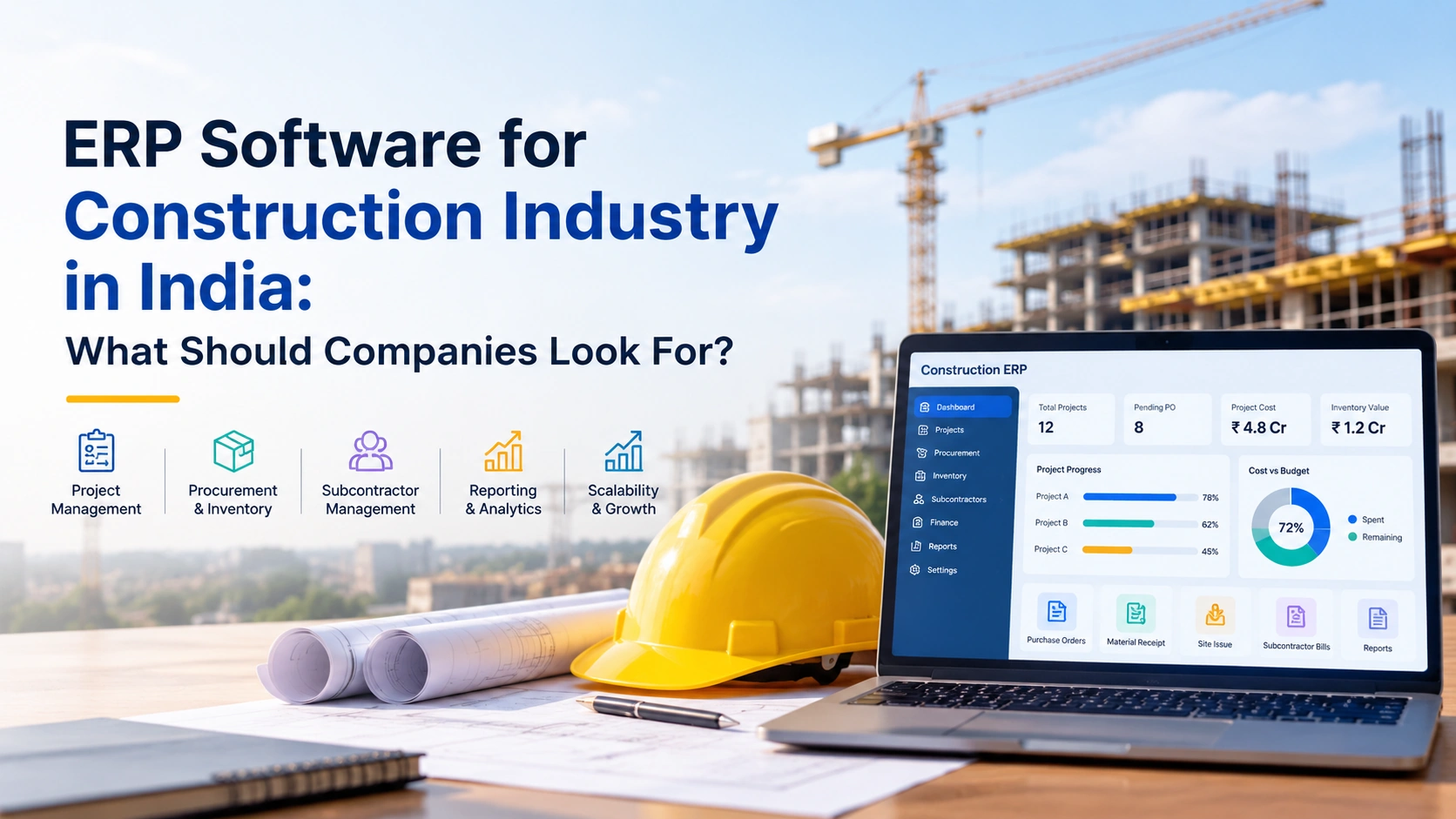
ERP Software for Construction Industry in India: What Should Companies Look For?
05 Oct 2026
Post 02
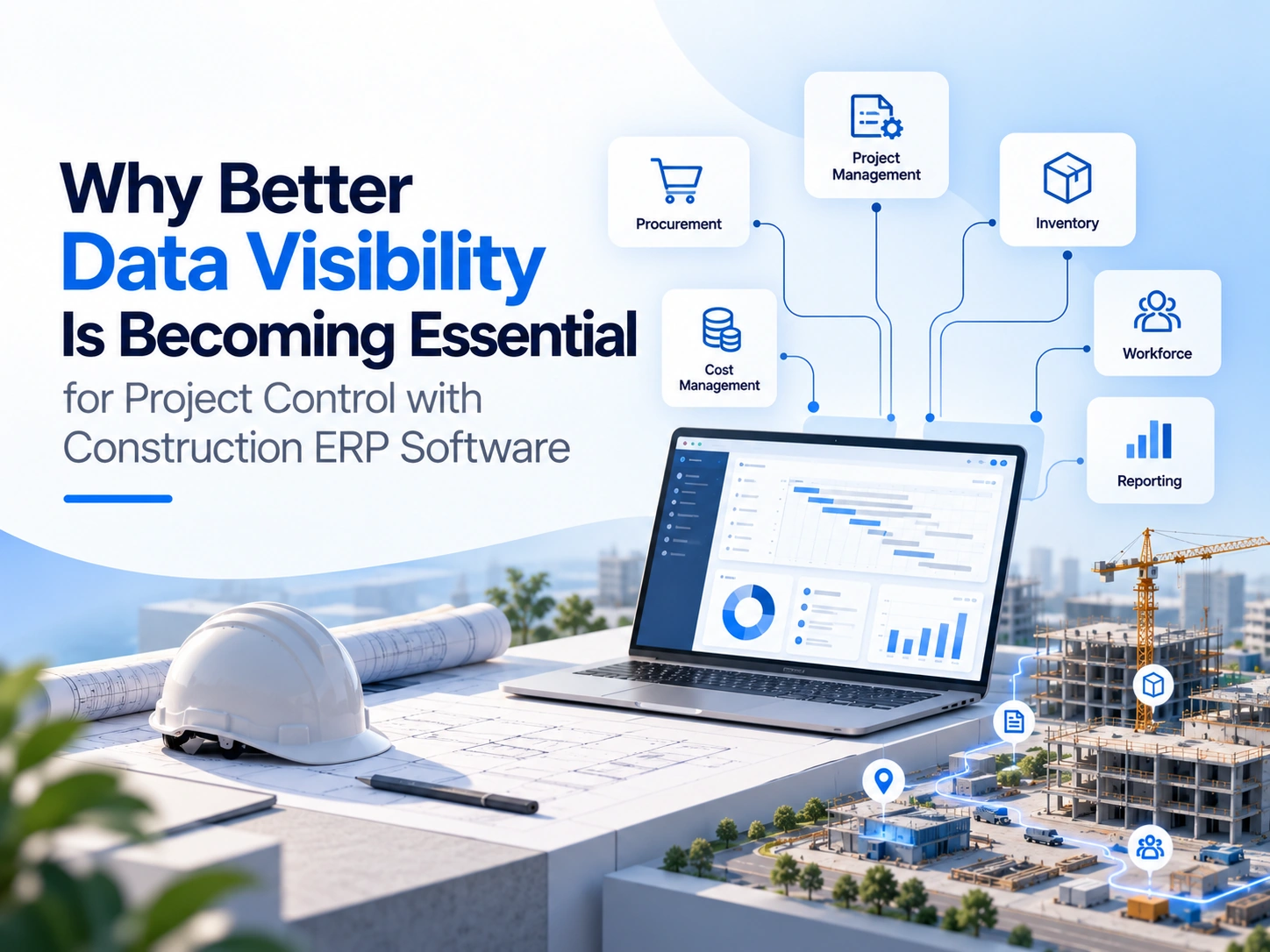
Why Better Data Visibility Is Becoming Essential for Project Control with Construction ERP Software
31 Oct 2026
Post 03
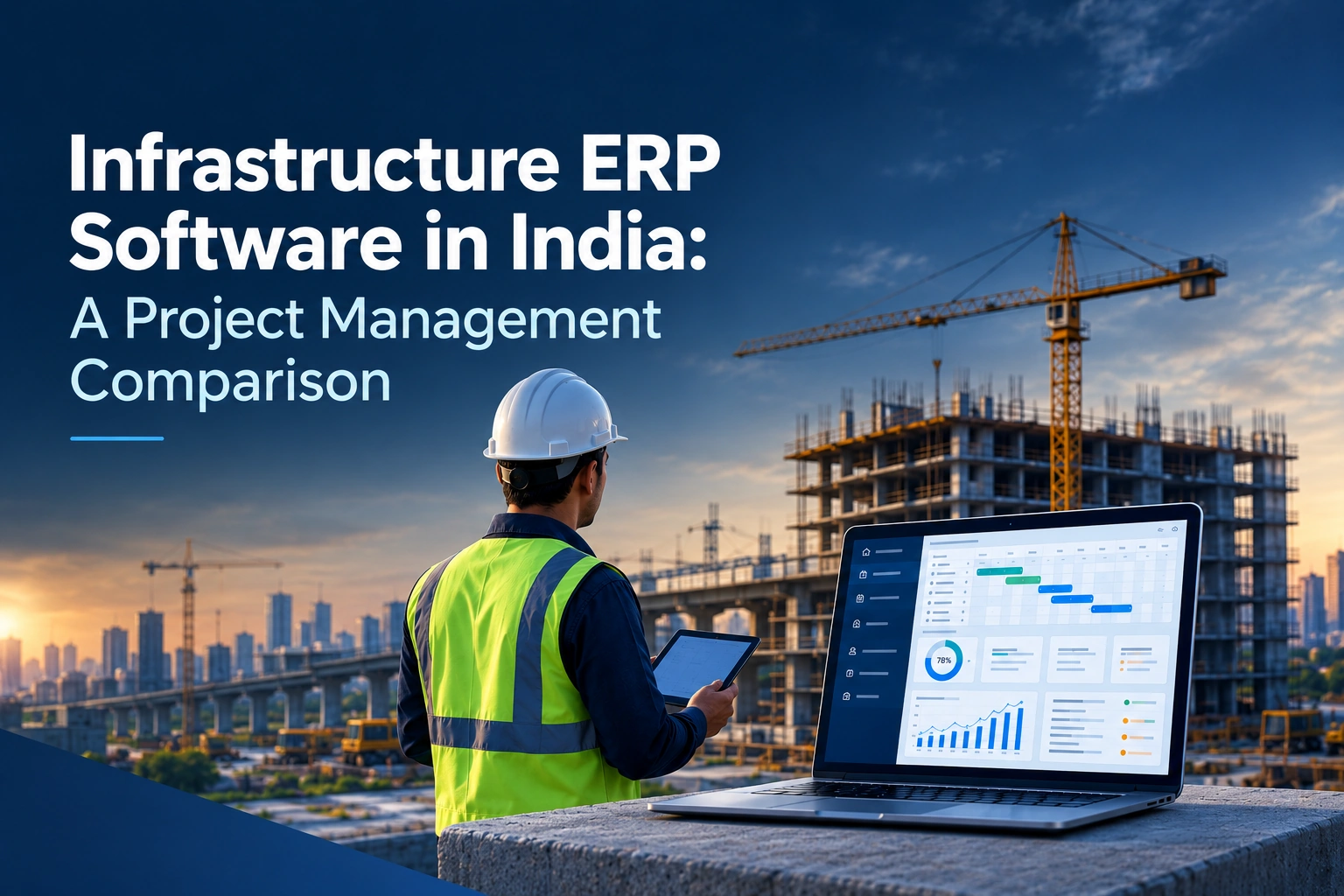
Infrastructure ERP Software in India: A Project Management Comparison
29 Sep 2026