


 +91-85304 14111




OUR BLOGS
Our Latest Blogs
05 Aug 2026
By Mansi Jha l Construction
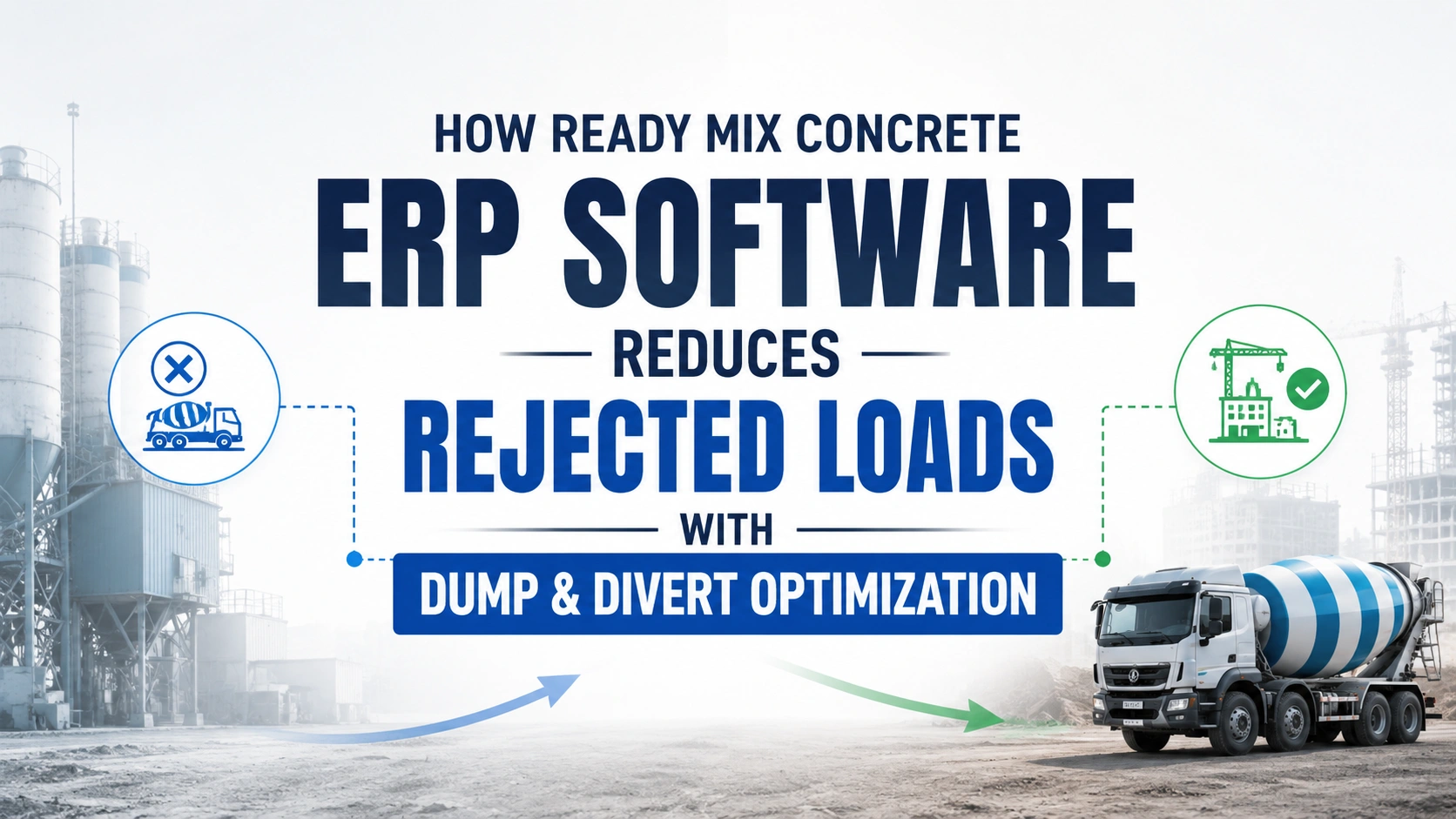
The Definitive Guide to Preventing Mud Waste: Mastering the RMC "Dump and Divert" Nightmare
For Ready-Mix Concrete (RMC) manufacturers, time isn't just money time is an irreversible exothermic chemical reaction. The exact second water hits the cement matrix inside the batching plant, an unforgiving countdown begins. In ideal conditions, a driver has a strict 90-minute window to transport, slump-test, discharge, and place that concrete before it loses its structural engineering integrity.
But out on the open road, ideal conditions are a myth.
Imagine this scenario: Your batch plant mixes 8 cubic meters of high-grade structural concrete. The mixer truck navigates morning traffic and arrives at the urban job site right on time. But when the driver pulls up, the site is a chaotic mess. The contractor’s concrete pump has suffered a sudden mechanical failure, or the formwork inspectors are running behind schedule and refuse to sign off on the pour.
The site supervisor looks at your driver and says those dreaded words: "We can't take this load. Reject it."
In the traditional RMC business model, a structural rejection is a financial disaster. It usually means thousands of dollars of premium material are driven back to the yard and dumped into a reclaiming pit, followed by hours of manual labor chipping hardening residue out of the mixer drum.
However, forward-thinking fleet operations are no longer accepting this as "the cost of doing business." By migrating away from frantic, manual radio calls and embracing specialized Ready-Mix concrete ERP software, modern batch plants are turning to automated "Dump and Divert" optimization to rescue their materials, protect their mixers, and insulate their bottom lines.
Part 1: The Hidden, Compounding Costs of a Rejected Concrete Load
When an RMC batch is rejected at a job site, many plant managers make the mistake of only calculating the cost of lost raw materials (the cement, aggregates, and chemical admixtures). In reality, the true financial drain of a wasted load behaves like an iceberg most of the damage occurs beneath the surface.
1. Sunk Logistics, Fuel, and Asset Depreciation
A mixer truck is a highly specialized piece of heavy machinery. The operational cost per mile includes heavy fuel consumption to keep the hydraulic drum spinning at agitation speed, driver labor hours, and immediate wear-and-tear on the vehicle's engine. Driving a load to a site, idling for 45 minutes while arguing with a contractor, and then driving it back to the yard doubles your logistics cost for zero revenue.
2. Regulatory and Environmental Penalties
In the modern construction landscape, you cannot simply dump wet concrete wherever you please. Environmental protection agencies enforce strict laws regarding high-pH concrete washouts and slurry disposal. Environmental disposal fees, washing system operations, and structural aggregate separating costs slice directly into a plant’s weekly operating margins.
3. The Downstream Ripple Effect (Opportunity Cost)
An RMC plant’s profitability relies heavily on its RMC fleet scheduling software and tight trip cycles. When Truck #4 is trapped at a site dealing with a rejection dispute, it misses its next three scheduled ticket deliveries for the day. This creates a cascading delay across entirely different projects, leading to unhappy clients, broken promises, and damaged market reputations.
Part 2: Deconstructing the "Dump and Divert" Operational Framework
In a fully digitized supply chain, a site rejection should not signify the death of a batch. Instead, it should trigger an agile logistical maneuver known as "Dump and Divert." > What is Dump and Divert? > It is the tactical process where a distressed or rejected concrete load is instantly re-routed while in transit to an alternative, pre-vetted job site that requires an identical mix design and can receive it immediately within the remaining chemical life of the concrete.
Executing a manual divert is a nightmare. A dispatcher must pick up the phone, call multiple site foremen to see who needs a surprise delivery, cross-reference manual batch tickets to ensure the mix design matches the alternative site's structural specifications, and then verbally direct the driver down a new route. By the time this manual coordination is finished, the concrete has already begun to set in the drum.
This is where a modern enterprise resource planning ecosystem shifts from a luxury to an operational necessity.
Part 3: How Ready-Mix Concrete ERP Software Automates the Rescue Mission
An industry-specific cloud ERP acts as the central nervous system of your business. It bridges the gap between your concrete batch plant automation software (PLC systems) and your logistics fleet. Here is the step-by-step breakdown of how an ERP platform orchestrates an automated load diversion without human error:
Step 1: Real-Time Mobile Field Notification
The moment a site supervisor rejects a load, your driver opens their specialized mobile field application. Instead of waiting to drive back to the yard or calling a busy dispatch line, the driver taps a pre-configured status button: "Load Rejected by Client." The app instantly prompts the driver for a rejection reason (e.g., Slump issue, Site delay, Weather change) and captures a digital signature or photo verification.
Step 2: Immediate "Safe Life" Countdown Calculation
The moment the rejection is logged, the central ERP system pulls the original timestamp from the batching plant PLC ERP integration system. It evaluates:
-
Exactly how many minutes have passed since the dry materials were batched with water.
-
The ambient air temperature via local weather APIs (hotter days accelerate hydration).
-
The chemical dosage of retarders or accelerators present in the mix recipe.
The system then determines the exact remaining "Safe Life Window" (e.g., You have exactly 32 minutes left to place this concrete before it fails structural guidelines).
Step 3: Algorithmic Matchmaking & Proximity Filtration
While the driver is shifting the truck into gear, the ERP’s intelligent dispatch engine performs a lightning-fast scan of every active order across your entire customer database. It filters for three rigid parameters:
-
Mix Compatibility: The alternative site must be scheduled to receive the exact same compressive strength (e.g., M25, M30, or custom structural specifications) and aggregate sizes.
-
Site Readiness: The alternative site must have an open, active order slot and a confirmed status showing their crews are currently pouring and ready for continuous delivery.
-
Proximity & Traffic Routing: The ERP evaluates live traffic telematics to guarantee that the truck can navigate from its current GPS coordinates to the new site well within the remaining "Safe Life Window."
Step 4: Seamless Financial and Legal Reconciliation
Once the dispatcher clicks "Approve Diversion" on their centralized map view, the ERP automatically handles the messy administrative paperwork that used to take days to sort out:
-
The Original Client is instantly billed a customized rejection or transportation fee depending on contract terms.
-
The New Client's digital delivery ticket is automatically generated, adjusting their remaining project volume balance.
-
The Driver’s Inventory Ledger is updated, ensuring that material costs are accurately allocated to the correct revenue stream without messing up month-end reconciliation.
Part 4: Advanced Material Strategies: Utilizing Admixture Controls and Reclaiming Systems
Even with the most advanced RMC delivery optimization software, there are times when a load simply cannot be diverted to another site in time. In these scenarios, a comprehensive concrete ERP software helps managers execute alternative material recovery protocols.
Chemical Stabilization via Hydration Stabilizers
If a diverted site is found but requires an extra 30 minutes of travel time past the standard setting window, the ERP can guide the driver through a remediation step. Based on the exact chemical history of the load on the dashboard, the system calculates the precise dosage of a liquid hydration stabilizer (often referred to as a set-retardant admixture) that the driver can introduce directly into the truck’s water tank or drum to safely "pause" the hydration process without compromising final strength testing.
Automated Aggregate Reclaiming Systems
If the load must return to the plant, the ERP logs the returned volume into the inventory tracking module before the truck rolls into the yard. This alerts the yard crew to prepare the mechanical aggregate reclaimer.
The ERP tracks the reclaimed slurry water and separated gravel/sand aggregates as "recycled gray stock," instantly updating the raw material inventory ledger so that production teams know exactly how much recycled material can be safely blended into non-structural mix designs the following morning.
Part 5: Moving from Reactive to Predictive: Preventing Rejections Before Pumping Starts
While mastering the "dump and divert" workflow is an exceptional safety net for your operations, the ultimate goal of enterprise efficiency is to stop rejections from occurring in the first place.
Modern Ready-Mix concrete ERP software shifts your business posture from reactive firefighting to predictive prevention through integrated data points:
1. The Interconnected Client Portal
Give your field contractors a simplified mobile web portal. Before the batching plant automatically triggers a ticket, the contractor must tap a button confirming: "Formwork complete, pump truck on-site and operational, ready for first batch." If they fail to confirm, the ERP pauses the order line, saving you from batching a load for a site that isn't ready.
2. Intelligent Automated Batch Pacing
A major cause of site rejections is truck stacking. If a plant dispatches five mixer trucks one after another to an urban job site, the fourth and fifth trucks will sit idling on the street for an hour waiting their turn to discharge.
Advanced RMC fleet scheduling software analyzes live on-site discharge speeds from the first truck's mechanical sensors. If Truck #1 takes 35 minutes to unload instead of the expected 15 minutes, the ERP automatically sends a delay command to the batching plant, slowing down the mixing cycle for Trucks #3, #4, and #5 before they ever load up.
Conclusion: Transform Your Fleet from a Cost Center into an Agile Machine
In an industry where margins are dictated by pennies per cubic meter and fluctuating fuel tariffs, you can no longer afford to treat rejected, ruined concrete as an unavoidable hazard of the trade.
Transitioning your concrete business away from disjointed legacy systems and adopting a modern, integrated Ready-Mix concrete ERP software changes how your business reacts to stress. By automating your real-time tracking, combining your plant electronics with fleet logistics, and adopting automated dump-and-divert protocols, you protect your inventory, deliver unparalleled service to your clients, and keep your hard-earned profits from turning into solid stone.
Take Control of Your Mix Logistics Today
Stop allowing site delays to dictate your operational profitability. Discover how biCanvas ERP can seamlessly link your concrete batch plants, GPS logistics, and back-office invoicing into a single, powerhouse cloud platform.
OUR BLOGS
Our Latest Blogs
05 Aug 2026
By Mansi Jha Construction
The Definitive Guide to Preventing Mud Waste: Mastering the RMC "Dump and Divert" Nightmare
For Ready-Mix Concrete (RMC) manufacturers, time isn't just money time is an irreversible exothermic chemical reaction. The exact second water hits the cement matrix inside the batching plant, an unforgiving countdown begins. In ideal conditions, a driver has a strict 90-minute window to transport, slump-test, discharge, and place that concrete before it loses its structural engineering integrity. But out on the open road, ideal conditions are a myth. Imagine this scenario: Your batch plant mixes 8 cubic meters of high-grade structural concrete. The mixer truck navigates morning traffic and arrives at the urban job site right on time. But when the driver pulls up, the site is a chaotic mess. The contractor’s concrete pump has suffered a sudden mechanical failure, or the formwork inspectors are running behind schedule and refuse to sign off on the pour. The site supervisor looks at your driver and says those dreaded words: "We can't take this load. Reject it." In the traditional RMC business model, a structural rejection is a financial disaster. It usually means thousands of dollars of premium material are driven back to the yard and dumped into a reclaiming pit, followed by hours of manual labor chipping hardening residue out of the mixer drum. However, forward-thinking fleet operations are no longer accepting this as "the cost of doing business." By migrating away from frantic, manual radio calls and embracing specialized Ready-Mix concrete ERP software, modern batch plants are turning to automated "Dump and Divert" optimization to rescue their materials, protect their mixers, and insulate their bottom lines. Part 1: The Hidden, Compounding Costs of a Rejected Concrete Load When an RMC batch is rejected at a job site, many plant managers make the mistake of only calculating the cost of lost raw materials (the cement, aggregates, and chemical admixtures). In reality, the true financial drain of a wasted load behaves like an iceberg most of the damage occurs beneath the surface. 1. Sunk Logistics, Fuel, and Asset Depreciation A mixer truck is a highly specialized piece of heavy machinery. The operational cost per mile includes heavy fuel consumption to keep the hydraulic drum spinning at agitation speed, driver labor hours, and immediate wear-and-tear on the vehicle's engine. Driving a load to a site, idling for 45 minutes while arguing with a contractor, and then driving it back to the yard doubles your logistics cost for zero revenue. 2. Regulatory and Environmental Penalties In the modern construction landscape, you cannot simply dump wet concrete wherever you please. Environmental protection agencies enforce strict laws regarding high-pH concrete washouts and slurry disposal. Environmental disposal fees, washing system operations, and structural aggregate separating costs slice directly into a plant’s weekly operating margins. 3. The Downstream Ripple Effect (Opportunity Cost) An RMC plant’s profitability relies heavily on its RMC fleet scheduling software and tight trip cycles. When Truck #4 is trapped at a site dealing with a rejection dispute, it misses its next three scheduled ticket deliveries for the day. This creates a cascading delay across entirely different projects, leading to unhappy clients, broken promises, and damaged market reputations. Part 2: Deconstructing the "Dump and Divert" Operational Framework In a fully digitized supply chain, a site rejection should not signify the death of a batch. Instead, it should trigger an agile logistical maneuver known as "Dump and Divert." > What is Dump and Divert? > It is the tactical process where a distressed or rejected concrete load is instantly re-routed while in transit to an alternative, pre-vetted job site that requires an identical mix design and can receive it immediately within the remaining chemical life of the concrete. Executing a manual divert is a nightmare. A dispatcher must pick up the phone, call multiple site foremen to see who needs a surprise delivery, cross-reference manual batch tickets to ensure the mix design matches the alternative site's structural specifications, and then verbally direct the driver down a new route. By the time this manual coordination is finished, the concrete has already begun to set in the drum. This is where a modern enterprise resource planning ecosystem shifts from a luxury to an operational necessity. Part 3: How Ready-Mix Concrete ERP Software Automates the Rescue Mission An industry-specific cloud ERP acts as the central nervous system of your business. It bridges the gap between your concrete batch plant automation software (PLC systems) and your logistics fleet. Here is the step-by-step breakdown of how an ERP platform orchestrates an automated load diversion without human error: Step 1: Real-Time Mobile Field Notification The moment a site supervisor rejects a load, your driver opens their specialized mobile field application. Instead of waiting to drive back to the yard or calling a busy dispatch line, the driver taps a pre-configured status button: "Load Rejected by Client." The app instantly prompts the driver for a rejection reason (e.g., Slump issue, Site delay, Weather change) and captures a digital signature or photo verification. Step 2: Immediate "Safe Life" Countdown Calculation The moment the rejection is logged, the central ERP system pulls the original timestamp from the batching plant PLC ERP integration system. It evaluates: Exactly how many minutes have passed since the dry materials were batched with water. The ambient air temperature via local weather APIs (hotter days accelerate hydration). The chemical dosage of retarders or accelerators present in the mix recipe. The system then determines the exact remaining "Safe Life Window" (e.g., You have exactly 32 minutes left to place this concrete before it fails structural guidelines). Step 3: Algorithmic Matchmaking & Proximity Filtration While the driver is shifting the truck into gear, the ERP’s intelligent dispatch engine performs a lightning-fast scan of every active order across your entire customer database. It filters for three rigid parameters: Mix Compatibility: The alternative site must be scheduled to receive the exact same compressive strength (e.g., M25, M30, or custom structural specifications) and aggregate sizes. Site Readiness: The alternative site must have an open, active order slot and a confirmed status showing their crews are currently pouring and ready for continuous delivery. Proximity & Traffic Routing: The ERP evaluates live traffic telematics to guarantee that the truck can navigate from its current GPS coordinates to the new site well within the remaining "Safe Life Window." Step 4: Seamless Financial and Legal Reconciliation Once the dispatcher clicks "Approve Diversion" on their centralized map view, the ERP automatically handles the messy administrative paperwork that used to take days to sort out: The Original Client is instantly billed a customized rejection or transportation fee depending on contract terms. The New Client's digital delivery ticket is automatically generated, adjusting their remaining project volume balance. The Driver’s Inventory Ledger is updated, ensuring that material costs are accurately allocated to the correct revenue stream without messing up month-end reconciliation. Part 4: Advanced Material Strategies: Utilizing Admixture Controls and Reclaiming Systems Even with the most advanced RMC delivery optimization software, there are times when a load simply cannot be diverted to another site in time. In these scenarios, a comprehensive concrete ERP software helps managers execute alternative material recovery protocols. Chemical Stabilization via Hydration Stabilizers If a diverted site is found but requires an extra 30 minutes of travel time past the standard setting window, the ERP can guide the driver through a remediation step. Based on the exact chemical history of the load on the dashboard, the system calculates the precise dosage of a liquid hydration stabilizer (often referred to as a set-retardant admixture) that the driver can introduce directly into the truck’s water tank or drum to safely "pause" the hydration process without compromising final strength testing. Automated Aggregate Reclaiming Systems If the load must return to the plant, the ERP logs the returned volume into the inventory tracking module before the truck rolls into the yard. This alerts the yard crew to prepare the mechanical aggregate reclaimer. The ERP tracks the reclaimed slurry water and separated gravel/sand aggregates as "recycled gray stock," instantly updating the raw material inventory ledger so that production teams know exactly how much recycled material can be safely blended into non-structural mix designs the following morning. Part 5: Moving from Reactive to Predictive: Preventing Rejections Before Pumping Starts While mastering the "dump and divert" workflow is an exceptional safety net for your operations, the ultimate goal of enterprise efficiency is to stop rejections from occurring in the first place. Modern Ready-Mix concrete ERP software shifts your business posture from reactive firefighting to predictive prevention through integrated data points: 1. The Interconnected Client Portal Give your field contractors a simplified mobile web portal. Before the batching plant automatically triggers a ticket, the contractor must tap a button confirming: "Formwork complete, pump truck on-site and operational, ready for first batch." If they fail to confirm, the ERP pauses the order line, saving you from batching a load for a site that isn't ready. 2. Intelligent Automated Batch Pacing A major cause of site rejections is truck stacking. If a plant dispatches five mixer trucks one after another to an urban job site, the fourth and fifth trucks will sit idling on the street for an hour waiting their turn to discharge. Advanced RMC fleet scheduling software analyzes live on-site discharge speeds from the first truck's mechanical sensors. If Truck #1 takes 35 minutes to unload instead of the expected 15 minutes, the ERP automatically sends a delay command to the batching plant, slowing down the mixing cycle for Trucks #3, #4, and #5 before they ever load up. Conclusion: Transform Your Fleet from a Cost Center into an Agile Machine In an industry where margins are dictated by pennies per cubic meter and fluctuating fuel tariffs, you can no longer afford to treat rejected, ruined concrete as an unavoidable hazard of the trade. Transitioning your concrete business away from disjointed legacy systems and adopting a modern, integrated Ready-Mix concrete ERP software changes how your business reacts to stress. By automating your real-time tracking, combining your plant electronics with fleet logistics, and adopting automated dump-and-divert protocols, you protect your inventory, deliver unparalleled service to your clients, and keep your hard-earned profits from turning into solid stone. Take Control of Your Mix Logistics Today Stop allowing site delays to dictate your operational profitability. Discover how biCanvas ERP can seamlessly link your concrete batch plants, GPS logistics, and back-office invoicing into a single, powerhouse cloud platform. Click here to schedule a personalized, zero-obligation live demo with an RMC automation specialist today.
OUR BLOGS
Our Latest Blogs
12 Oct 2026
By Mohini Dodwade Infrastructure
How ERP Infrastructure Software Improves Delivery Timelines and Cost Control in Construction Projects
Infrastructure projects rarely fall behind schedule because of one major problem. More often, delays build up through a series of smaller issues: materials arriving late, purchase approvals getting stuck, equipment remaining idle, or site progress reports reaching management too late. These problems become harder to manage when multiple projects, contractors, suppliers and departments operate independently. This is where ERP infrastructure software can make a practical difference. By connecting project planning, procurement, inventory, equipment, finance and site execution, an integrated ERP system helps infrastructure companies identify operational gaps before they become expensive setbacks. For contractors, infrastructure developers, ready-mix concrete (RMC) businesses and manufacturing companies supporting construction operations, the objective is not simply to digitise existing processes. It is to connect everyday decisions with project schedules and financial performance. Why Infrastructure Projects Struggle With Delays and Cost Overruns An infrastructure project depends on several activities happening in the correct sequence. Materials must arrive when required, equipment must be available, labour must be allocated, and contractors must complete work according to the schedule. When these activities are managed through disconnected spreadsheets, accounting software and manual reports, coordination becomes difficult. Consider a road construction project that requires aggregates, cement, steel and machinery at different stages. If procurement does not have visibility into the project schedule, orders may be raised too late. If inventory records are outdated, the team may purchase materials already available at another site. Meanwhile, management may continue working with an approved budget without knowing that actual expenses are moving beyond planned limits. The underlying problem is a lack of connected operational information. An integrated construction ERP system helps bridge this gap by linking project requirements with procurement, inventory, equipment utilisation and financial records. 1. Connect Project Planning With Actual Site Progress Project schedules are useful only when they reflect what is happening on site. Infrastructure teams need to track planned activities, milestones, resource requirements and actual progress throughout the project lifecycle. When site updates are delayed, project managers may continue following a schedule that no longer reflects operational reality. ERP infrastructure software can connect project planning with daily progress reporting and resource allocation. For example, a project manager can break a highway construction project into work packages, assign budgets and define material requirements. Site engineers can then record progress against those activities, allowing management to compare planned and actual execution. This creates better visibility into activities falling behind schedule, resources required for upcoming work, delayed milestones and variations between planned and actual progress. The value comes from linking the schedule to operational data, not simply displaying tasks on a dashboard. Businesses evaluating infrastructure ERP software in India should examine how well a platform connects project planning with procurement, site execution and cost tracking. For a deeper explanation of this process, read How ERP Simplifies Infrastructure Project Planning. 2. Improve Material Procurement and Delivery Coordination Material availability directly affects construction timelines. A shortage of cement, steel, aggregates or other essential supplies can interrupt site activities even when labour and equipment are ready. At the same time, purchasing too much material too early can increase storage costs, working capital requirements and the risk of wastage. An integrated ERP system helps connect material planning with project schedules, inventory balances and procurement activities. The process can work as follows: Project teams define material requirements based on the project plan and approved quantities. Inventory records help identify available stock across relevant locations. Procurement teams raise purchase requests for outstanding requirements. Approval workflows route requests to the appropriate decision-makers. Purchase orders and goods receipt records help track orders through delivery. Material issues and consumption are recorded against the relevant project or activity. This connected process gives procurement teams better visibility into what is required, what has already been ordered and what remains outstanding. It can also reduce avoidable purchases, duplicate requests and delays caused by missing approvals. For construction businesses managing several sites, material transfers, stock reconciliation and wastage tracking are equally important. Explore Construction Inventory and Procurement Management for a closer look at how material planning, purchasing and inventory control work together. 3. Control Project Costs Before Budget Overruns Escalate An approved project budget does not guarantee that a project will remain profitable. Costs continue to accumulate through material purchases, labour, equipment, subcontractors, transportation and other operating expenses. If these costs are reviewed only at the end of the month, management may discover a problem after corrective action has become difficult. A suitable construction ERP software platform should connect project budgets with actual expenditure and purchase commitments. Consider a project with an approved material budget of ₹50 lakh. Purchase orders worth ₹35 lakh have already been issued, and actual material consumption has reached ₹22 lakh. Looking only at the amount consumed may give management an incomplete picture. Significant financial commitments already exist, even if the corresponding materials have not yet been delivered or consumed. A connected ERP system can help distinguish between: Budget: The approved financial allocation. Committed cost: The value of approved orders and other recognised commitments. Actual cost: Expenses recorded against the project. Cost variance: The difference between planned and actual financial performance. These figures need to be interpreted according to the company's accounting rules and project costing methods. Their purpose is to provide a clearer view of financial exposure. With project-level cost tracking, managers can investigate unusual spending, review procurement decisions and take corrective action before overruns become more difficult to address. For a broader understanding of how project execution, procurement and financial controls connect, read Construction ERP: The Backbone of Efficient Construction Management. 4. Reduce Equipment Downtime With Better Maintenance Planning Heavy equipment plays a critical role in infrastructure execution. Excavators, loaders, batching plants, crushers, transit mixers and other machinery must be available when scheduled activities require them. Unexpected breakdowns can interrupt work, delay deliveries and increase repair expenses. Equipment management within an ERP system can help businesses maintain asset records, track utilisation, schedule preventive maintenance and monitor fuel or operating expenses. Where supported by the equipment and integration setup, Industrial Internet of Things (IIoT) connectivity can provide machine operating data that helps teams monitor usage and identify maintenance requirements. For example, an RMC plant may use operating-hour data to plan maintenance around production requirements rather than waiting for a breakdown. A fleet operator may combine vehicle records, fuel information and maintenance schedules to improve oversight of its vehicles. These capabilities are particularly useful when several plants, machines or project sites compete for the same resources. IIoT integration does not automatically prevent breakdowns. Its effectiveness depends on data quality, suitable sensors, maintenance procedures and how consistently teams act on the information. Read Construction ERP Mobile App for Site Engineers: DPR, RA Billing, Labour, Plant and Equipment to explore how site reporting and equipment management can support construction operations. 5. Use Cloud ERP to Connect Site Teams and Head Office Infrastructure projects often operate across geographically separated sites. Project managers, procurement teams, finance departments and senior management may all need different information to make decisions. When each team maintains separate records, reconciliation becomes a recurring task. Cloud-based ERP infrastructure solutions can provide authorised users with access to shared operational information from different locations, subject to connectivity, permissions and system configuration. This can help teams coordinate site progress, purchase requests, stock availability, contractor records, equipment utilisation and project expenses. Cloud deployment can also simplify centralised system administration and access to updated information. However, businesses should assess internet availability at remote sites, offline requirements, data residency, security controls, backup policies and disaster recovery before selecting a platform. The objective is to make reliable information available to the people who need it without creating additional reporting work for site teams. For an overview of the broader capabilities to consider, explore the complete guide to construction ERP software. 6. Automate Approvals and Repetitive Workflows Approval delays are an often-overlooked cause of project disruption. A purchase request may remain pending because the responsible manager is unavailable. A contractor bill may move between departments without a clear record of its status. A payment request may require repeated follow-ups because supporting documents are incomplete. Workflow automation helps standardise these processes. An ERP platform with configurable workflows can route purchase requests, expense claims, contractor bills and other transactions according to predefined approval rules. For example, a company can configure different approval levels based on transaction value, department, project or budget limits. The system can also maintain approval histories and pending-action records, making it easier to identify where a process is delayed. This does not eliminate the need for human review. Instead, it reduces unnecessary manual coordination and gives employees a clearer understanding of their responsibilities. Contractor billing is another area where structured workflows matter. Read Vendor Management System: Integrating Contractor and Labour Control for Strategic Cost Governance for more information on contractor records, work verification and payment controls. 7. Turn Operational Data Into Actionable Decisions With BI Dashboards Infrastructure businesses generate substantial amounts of data through procurement, inventory, project execution, finance and equipment operations. The challenge is turning that information into decisions before problems affect delivery or profitability. Business intelligence (BI) dashboards can consolidate relevant information into management views that support faster investigation and planning. Depending on the ERP's capabilities and configured data, useful indicators may include: Performance indicator What it helps management understand Planned versus actual progress Whether project activities are meeting the schedule Budget versus actual cost Where expenditure is deviating from approved allocations Outstanding purchase orders Which material deliveries require follow-up Inventory and material consumption Whether stock levels match operational requirements Equipment utilisation How effectively machinery is being used Pending approvals Which decisions may be holding up operations Project billing and receivables Where billing or payment follow-up may be needed A dashboard is only as reliable as the underlying records. Businesses should define clear reporting rules, maintain accurate data and assign responsibility for updating site information. The aim is to identify exceptions that need attention, rather than simply produce more reports. When evaluating platforms, use a construction ERP selection checklist for India to compare reporting, project controls, integration requirements and implementation considerations. What to Look for When Choosing ERP Infrastructure Software Not every ERP platform is suitable for a project-driven infrastructure business. A general accounting system may handle financial transactions effectively but still leave gaps in site execution, procurement planning and equipment management. Before selecting a solution, evaluate the following capabilities. Project planning and scheduling: Can the system manage work breakdown structures, milestones, budgets and daily progress reporting? Procurement and inventory: Can material requirements be linked to project needs, stock availability, purchase orders and goods receipts? Project cost control: Can management compare budgets, commitments and actual expenditure at project or activity level? Contractor and vendor management: Can the system support contractor records, work tracking, billing and approval processes? Equipment and IIoT integration: Can it manage maintenance and utilisation, and connect with relevant equipment or plant systems where required? Cloud access and security: Does the deployment support multi-site operations, role-based access, backups and appropriate data protection? Custom workflows: Can approval processes and operational rules be configured to match the company's requirements? BI dashboards and reporting: Can management obtain consistent, timely information without relying on repeated manual consolidation? Integration with existing systems: Can the ERP exchange data with accounting tools, PLCs, GPS systems or other operational applications where needed? The best ERP software for construction is not necessarily the platform with the longest feature list. It is the one that fits the company's operating model and connects its most important processes reliably. For a practical comparison of selection criteria, see Best ERP Software for the Construction Industry. How biCanvas Supports Connected Infrastructure Operations biCanvas, a product of DataDynamx, is designed to support enterprise operations across construction, infrastructure, ready-mix concrete and related industries. Its capabilities cover areas such as project planning, budgeting, procurement, material management, contractor coordination, equipment management and business intelligence. For infrastructure businesses, the value of these functions lies in connecting operational processes that would otherwise be managed separately. For example, project planning can inform material requirements, procurement records can support delivery tracking, and project-level financial information can help management review expenditure against budgets. Depending on the implementation, cloud access, configurable workflows, IIoT and PLC integrations can further connect office processes with plant and site operations. Businesses evaluating biCanvas should map these capabilities against their actual requirements, including the integrations, reporting rules and approval structures needed for their projects. Visit the biCanvas website to learn more about its enterprise software capabilities. Conclusion Infrastructure project delivery depends on coordination between planning, procurement, materials, equipment, contractors and finance. When these functions operate independently, small information gaps can lead to larger scheduling and cost-control problems. ERP infrastructure software helps connect these activities, making it easier to monitor project progress, track financial commitments, coordinate deliveries and identify operational issues earlier. The most useful system is not simply one that digitises existing records. It is one that connects project requirements with actual execution and gives teams the information they need to act. For infrastructure companies looking to improve delivery timelines and cost visibility, evaluating ERP around these practical outcomes is a stronger starting point than choosing software based on features alone. Frequently Asked Questions 1. What is ERP infrastructure software? ERP infrastructure software is an enterprise resource planning system that connects project planning, procurement, inventory, equipment, finance and other business operations for infrastructure and construction companies. 2. How does ERP infrastructure software help reduce project delays? It can improve coordination between project schedules, material procurement, inventory, equipment and site reporting. Earlier visibility into pending approvals, material shortages and delayed activities helps teams take corrective action sooner. 3. Can ERP software help control construction project costs? Yes. When configured correctly, it can connect project budgets with purchase commitments, recorded expenses, material consumption and other project costs. This helps management identify variances and investigate overspending. 4. Why is cloud ERP useful for infrastructure companies? Cloud ERP can give authorised teams across multiple sites access to shared information. Companies should also evaluate connectivity, offline requirements, data security, backups and recovery arrangements. 5. What role does IIoT play in infrastructure ERP? IIoT integrations can bring operating information from connected equipment and industrial systems into enterprise workflows. Depending on the setup, this can support equipment monitoring, maintenance planning and operational reporting. 6. Is infrastructure ERP useful for ready-mix concrete businesses? Yes. An appropriate system can connect batching plant operations, raw material inventory, production records, delivery scheduling, fleet information and financial tracking. The exact capabilities depend on the software and its integrations. 7. How should a company choose the right infrastructure ERP? Start by identifying its biggest operational problems. Then evaluate project scheduling, material planning, cost control, equipment management, approval workflows, cloud access, reporting, integrations and implementation requirements using realistic business scenarios. 8. What should businesses check before implementing ERP infrastructure software? Businesses should review data quality, existing systems, process ownership, user training, integration requirements, security, implementation scope and measurable success criteria. A phased rollout can help validate the system before expanding it across all projects.
OUR BLOGS
Our Latest Blogs
31 Aug 2026
By Mohini Dodwade Manufacturing
Manufacturing Inventory Management Software: Connecting Stock to Production
A production line does not stop because a plant ran out of raw material. It stops because nobody knew the raw material was running low until the line was already waiting on it. Most manufacturers can tell you what is sitting in their warehouse on any given day, but far fewer can tell you what that stock actually means for tomorrow's production schedule. That gap between knowing what you have and knowing what it will let you produce is exactly the problem manufacturing inventory management software is built to close. Why Spreadsheet Inventory Breaks Down as Production Scales A small manufacturing operation can often get away with tracking stock in a spreadsheet or a basic accounting tool. The moment a plant runs multiple production lines, multiple shifts, or multiple raw material vendors, that approach falls apart. Stock counts go stale between updates, nobody has a single view of what is committed to a pending work order versus what is genuinely available, and reordering becomes reactive instead of planned. Manufacturing inventory management software exists to remove that lag. It gives a plant a live view of stock as it moves, not a snapshot from the last time someone updated a spreadsheet. What Manufacturing Inventory Management Software Actually Needs to Do For a manufacturer running real production volume, inventory software has to do more than count units sitting in a warehouse. It needs to connect stock directly to what the plant is actually producing. Real-time raw material tracking that updates automatically as material is consumed on the line, not through manual entry after the fact Production-linked stock visibility, so a plant knows exactly how much of a raw material is already committed to open work orders versus genuinely free to allocate Batch and lot tracking for traceability, particularly important for manufacturers who need to trace a finished product back to a specific raw material batch Automated reorder triggers based on actual consumption patterns and lead times, not fixed reorder points that ignore how demand actually moves When these pieces are connected, a plant manager stops reacting to shortages and starts seeing them coming days or weeks in advance. Connecting Inventory to What Happens on the Shop Floor Inventory data on its own is only half the picture. The real value comes from connecting stock levels directly to shop floor activity, so a drop in raw material shows up against the production schedule immediately instead of surfacing as a surprise when a line supervisor goes looking for material that is not there. We cover this connection in detail in our piece on automating the shop floor with ERP, where the core argument is that disconnected systems, not missing processes, are usually what cause manufacturing inefficiency. Manufacturing inventory management software is one half of that connection. Without it feeding directly into production planning, even a well-run shop floor is still operating on incomplete information about what it can actually build next. Where This Differs From MES It is worth being clear about what manufacturing inventory management software is not. A Manufacturing Execution System tracks what is happening on the line in real time, machine status, work-in-progress, and quality checkpoints. Inventory management software tracks the material feeding into and out of that process. Our comparison of manufacturing ERP versus manufacturing execution software breaks down where each system's responsibility starts and ends, and the short version is that inventory and MES need to work together, not compete for the same job. A manufacturer evaluating software should be clear on which gap they are actually trying to close before comparing vendors, since a strong MES with weak inventory visibility still leaves material shortages as a blind spot, and the reverse is equally true. Batch Tracking and Traceability Are Not Optional Anymore For manufacturers supplying regulated industries, or working with clients who require material traceability, batch and lot tracking is not a nice-to-have feature. It needs to be built into the core inventory system, not managed as a separate compliance exercise after production is complete. This matters just as much for manufacturers connected to construction supply chains, where a batch of material needs to be traceable back through the plant to the original raw material lot if a quality issue surfaces on site months later. Manufacturing inventory management software that captures batch data automatically as material moves through production removes the need for manual traceability logs that are easy to fall behind on and difficult to audit later. Where Inventory Fits Into the Broader Supply Chain Manufacturing inventory does not exist in isolation from procurement and logistics. A plant's raw material stock is the downstream result of vendor reliability, delivery timing, and demand forecasting further up the chain. We cover this broader connection in our guide on supply chain management software for construction, and the same principle applies directly to manufacturing: inventory visibility is only as useful as the procurement and logistics data feeding into it. A plant with excellent internal inventory tracking but no visibility into incoming vendor deliveries is still flying blind on the timing side of the equation. What to Evaluate Before Choosing Manufacturing Inventory Management Software Before committing to a platform, check whether it actually connects to production planning or simply counts stock as a standalone function. Confirm whether batch and lot tracking is native to the system rather than a manual add-on process. And check whether reorder logic is based on real consumption patterns and vendor lead times, rather than static reorder points that need constant manual adjustment as demand shifts. How biCanvas Approaches Manufacturing Inventory Management biCanvas connects raw material inventory directly to production planning and work orders, so stock consumption updates automatically as production moves rather than through manual reconciliation at shift end. Batch and lot data is captured as part of the same workflow, giving manufacturers traceability without a separate compliance process running alongside production. Because inventory is tied to the same system managing procurement and vendor data, plant managers get a single view from incoming material to finished output, instead of stitching together answers from separate tools. If your plant is still reconciling stock manually against a production schedule that changes daily, you can book a personalised demo to see how connected inventory tracking works against your own production setup. Frequently Asked Questions Is manufacturing inventory management software the same as an MES? No. An MES tracks real-time activity on the production line itself, while inventory management software tracks the raw material and finished goods stock feeding into and out of that process. They are meant to work together, not replace each other. Does manufacturing inventory management software help with material shortages? Yes, by connecting stock levels directly to production schedules and consumption patterns, it flags potential shortages days or weeks in advance instead of when a line is already waiting on material. Why does batch tracking matter for manufacturers who are not in a regulated industry? Even outside regulated sectors, batch tracking makes it possible to trace a quality issue in a finished product back to its raw material source, which matters for any manufacturer supplying clients who expect accountability if something goes wrong downstream.
OUR BLOGS
Our Latest Blogs
23 Oct 2026
By Mohini Dodwade Ready Mix Concrete
Ready Mix Concrete ERP: Connecting Production, Inventory and Delivery
Ready Mix Concrete (RMC) businesses operate in a time-sensitive environment where production planning, raw material availability, plant operations, transportation and customer delivery must work together. Even a small disruption in one area can affect several activities across the business. For example, a shortage of cement can delay batching, an unexpected change in a project's concrete requirement can disrupt dispatch schedules, and poor coordination between the plant and transport teams can lead to unnecessary waiting time. These challenges become more difficult when different teams maintain separate spreadsheets, paper records or disconnected applications. This is where ready mix concrete ERP becomes valuable. By connecting key operational activities in one system, an ERP platform can help RMC businesses improve coordination, monitor resources and make decisions using more consistent information. For a broader understanding of how ERP connects construction operations, explore biCanvas's complete guide to construction ERP software. Why Ready Mix Concrete Businesses Need Connected Operations Unlike many other construction materials, ready-mix concrete must be produced and delivered according to specific project requirements and schedules. Production and delivery planning therefore depend on more than the availability of raw materials. RMC businesses must coordinate several activities simultaneously: Monitoring cement, sand, aggregates and admixture availability. Planning production according to confirmed orders and site requirements. Coordinating batching plant operations and equipment. Scheduling vehicles and deliveries. Tracking fuel, transportation and operational costs. Maintaining purchase, inventory and delivery records. When these activities operate independently, teams may have difficulty identifying where delays originate or how operational decisions affect costs. A connected system creates a more consistent flow of information between departments, allowing managers to monitor operations without waiting for multiple teams to compile separate reports. 1. Connect Production Planning with Actual Demand Production planning is one of the most important responsibilities in an RMC business. The plant must produce the required concrete quantity while considering delivery schedules, available resources and customer specifications. Planning production without reliable order information can create two problems: insufficient concrete when a project needs it, or unnecessary production that puts pressure on plant capacity and scheduling. An ERP system can help connect order information, production requirements, material availability and operational schedules. For example, when a construction site requests concrete for a scheduled pour, the operations team can use the available order and planning information to coordinate production and dispatch. If the requirement changes, the relevant teams can review the updated plan rather than relying entirely on separate calls and spreadsheets. The objective is not simply to produce more concrete. It is to align production with actual demand and available capacity. 2. Improve Raw Material Inventory Visibility Cement, aggregates, sand and chemical admixtures are essential inputs for RMC production. Inaccurate inventory records can affect production schedules, purchasing decisions and cost calculations. Manual inventory management often creates a gap between recorded stock and the quantity physically available at the plant. A suitable ERP system can help businesses maintain structured records of material receipts, stock movements, consumption and replenishment requirements. This can support better decisions in several ways: Stock visibility: Review available material quantities before confirming production plans. Purchase planning: Identify replenishment requirements earlier. Consumption monitoring: Compare expected and recorded material usage. Stock reconciliation: Investigate differences between system records and physical quantities. Cost visibility: Connect material movements with operational and financial reporting. These controls are particularly useful when businesses operate multiple plants or supply several construction sites. For more practical insights into material tracking, read biCanvas's guide to construction material management and inventory control. It provides additional context on how material procurement and inventory processes contribute to better construction operations. 3. Coordinate Dispatch and Transportation Production alone does not complete an RMC order. Concrete must reach the right site, in the required quantity, at the appropriate time. Dispatch planning becomes complicated when multiple customers request deliveries within overlapping time windows. Traffic conditions, plant capacity, vehicle availability and changing site requirements can add further pressure. A connected operational system can help teams coordinate dispatch schedules, order details, vehicle allocation and delivery records. For instance, if a site changes its requested delivery time, the operations team needs reliable information to assess the impact on production and other scheduled deliveries. Better coordination can help reduce avoidable waiting, improve communication between the plant and site teams, and make delivery planning more predictable. Businesses should also evaluate whether their chosen platform supports the specific vehicle tracking, weighbridge, batching or transport integrations required by their operations. 4. Monitor Plant, Machinery and Fuel Costs Plant and machinery are important operational resources for RMC businesses. Their availability, maintenance requirements and operating expenses influence productivity. Unexpected equipment downtime can interrupt production and affect delivery commitments. Meanwhile, limited visibility into fuel consumption and maintenance expenditure can make it harder to understand the true cost of operations. An ERP platform with appropriate equipment and asset management capabilities can help businesses maintain equipment records, monitor maintenance activities and track related expenses. Depending on the system configuration, businesses may also integrate equipment or telematics data to analyse utilisation and fuel consumption. The practical benefit is better visibility into recurring operational issues. Managers can identify equipment that requires attention, review maintenance expenditure and evaluate whether resources are being used efficiently. For businesses handling large infrastructure projects, biCanvas also provides insights into construction ERP software for infrastructure businesses, including the importance of evaluating operational requirements before choosing an ERP platform. 5. Connect Plant Operations with Project Requirements RMC suppliers often serve several construction projects with different delivery schedules, concrete grades and quantity requirements. Coordination becomes more demanding when multiple sites depend on the same plant or fleet. This is where construction company software with suitable RMC capabilities can help connect supplier operations with broader construction workflows. A connected system can support coordination between order information, project requirements, dispatch records, material availability and financial reporting. For construction and infrastructure businesses that manage their own RMC operations, this connection can provide a more complete view of how material supply affects project execution. For example, a delayed delivery may affect the site's planned activities. If the relevant teams can access consistent operational information, they can respond sooner and make more informed scheduling decisions. Businesses looking to connect these processes across departments can also explore how biCanvas connects projects, inventory, workforce and operations in India. 6. Improve Cost and Performance Reporting Operational activity generates information about material consumption, production, dispatch, transport and equipment expenses. However, information is useful only when it can be interpreted and connected to business decisions. When reports are prepared manually from separate systems, management may spend considerable time reconciling figures before analysing performance. An integrated ERP environment can help consolidate operational records and provide more structured reporting. Useful performance indicators may include: Planned versus actual production quantities. Raw material consumption and stock variances. Delivery punctuality and vehicle utilisation. Fuel and maintenance expenditure. Plant operating costs. Order fulfilment and outstanding deliveries. The exact indicators depend on the business model, available data and system configuration. Regular reporting helps managers identify recurring bottlenecks, compare performance over time and take corrective action based on evidence rather than assumptions. 7. What Should You Evaluate Before Choosing an RMC ERP? Not every ERP platform supports the operational requirements of a ready-mix concrete business equally well. Before selecting a solution, businesses should evaluate the workflows they need to manage and the integrations required to support them. Consider these questions: Production: Can the system support the production planning and batching workflows your plant requires? Inventory: Can it track raw materials, receipts, consumption and stock reconciliation? Dispatch: Can the team coordinate orders, delivery schedules and dispatch records? Transportation: Does it support the required vehicle, fuel and tracking integrations? Equipment: Can plant machinery, maintenance and operating costs be monitored? Reporting: Can management review operational performance and costs using consistent information? Scalability: Can the system support additional plants, customers and operating locations as the business grows? Implementation: What training, configuration, integration and ongoing support will be required? For a wider evaluation framework, read biCanvas's construction ERP software guide. It explains how connected construction processes can help businesses assess their requirements before choosing a solution. These questions help businesses evaluate software against real operating conditions instead of selecting a product solely because it has an extensive feature list. How biCanvas Supports RMC and Construction Operations biCanvas provides ERP capabilities for construction, infrastructure and ready-mix concrete operations. Its RMC offering covers areas including production planning, material and inventory management, transportation and fuel tracking, plant and machinery management, and purchase management. These capabilities are relevant to businesses seeking better coordination across plant and operational activities. For organisations that also manage construction or infrastructure projects, connecting relevant operational information can help reduce the need to rely on disconnected processes. Explore the biCanvas construction ERP solution to learn more about its project management, finance, inventory, resource allocation and equipment management capabilities. Businesses can also review construction ERP software in India: how biCanvas connects projects, inventory, workforce and operations for a broader understanding of how construction-focused ERP can support connected business processes. The right solution will depend on the organisation's operating model, plant requirements, existing systems and implementation priorities. Conclusion Ready mix concrete operations depend on the coordination of production, raw materials, transportation, equipment and delivery schedules. When these activities are managed through disconnected systems, even routine changes can create delays and make costs harder to understand. A suitable ready mix concrete ERP can help businesses connect operational information, improve inventory visibility, coordinate dispatch and strengthen performance reporting. For RMC suppliers, construction contractors and infrastructure businesses, the goal is to build a reliable flow of information from planning through execution and reporting. biCanvas offers construction and RMC-focused ERP capabilities that businesses can evaluate against these requirements. The best starting point is to identify the operational gaps that affect your business most and determine which workflows need to work together. Frequently Asked Questions 1. What is ready mix concrete ERP? Ready mix concrete ERP is a business management system that helps coordinate RMC activities such as production planning, raw material inventory, dispatch, transportation, equipment management and operational reporting. 2. What are the benefits of using ready mix concrete ERP? Depending on its capabilities and implementation, an RMC ERP can improve inventory visibility, production coordination, dispatch planning, cost monitoring and reporting. It can also help teams work with more consistent operational information. 3. Can construction company software manage RMC operations? Some construction ERP platforms support RMC operations alongside project management, inventory, procurement and finance. Businesses should verify that the chosen platform covers their specific production, batching, dispatch and transport requirements. 4. What is the difference between construction ERP and infrastructure ERP? Construction ERP generally supports project execution, procurement, inventory, budgeting and related business processes. Infrastructure ERP focuses on the requirements of infrastructure projects, which may include multi-site coordination, contracts, resource allocation, equipment and project-level financial control. The capabilities of individual platforms vary. To understand how these requirements affect software selection, read biCanvas's guide to construction ERP for infrastructure businesses. 5. How does biCanvas support ready mix concrete businesses? biCanvas offers RMC-focused capabilities covering production planning, inventory and material management, transportation and fuel tracking, plant and machinery management, and purchasing. Businesses should assess the available configuration and integrations against their operational requirements. 6. How should a business choose the right RMC ERP? Start by mapping current workflows and identifying operational gaps. Then evaluate production planning, inventory controls, dispatch, transportation, equipment management, reporting, integrations, implementation requirements and scalability before making a decision.
Search
Blog Categories
Recent Posts

Post 01
Ready Mix Concrete ERP: Connecting Production, Inventory and Delivery
23 Oct 2026
Post 02
Construction Subcontractor Management: Tracking Work Progress, Bills and Approvals
22 Oct 2026
Post 03
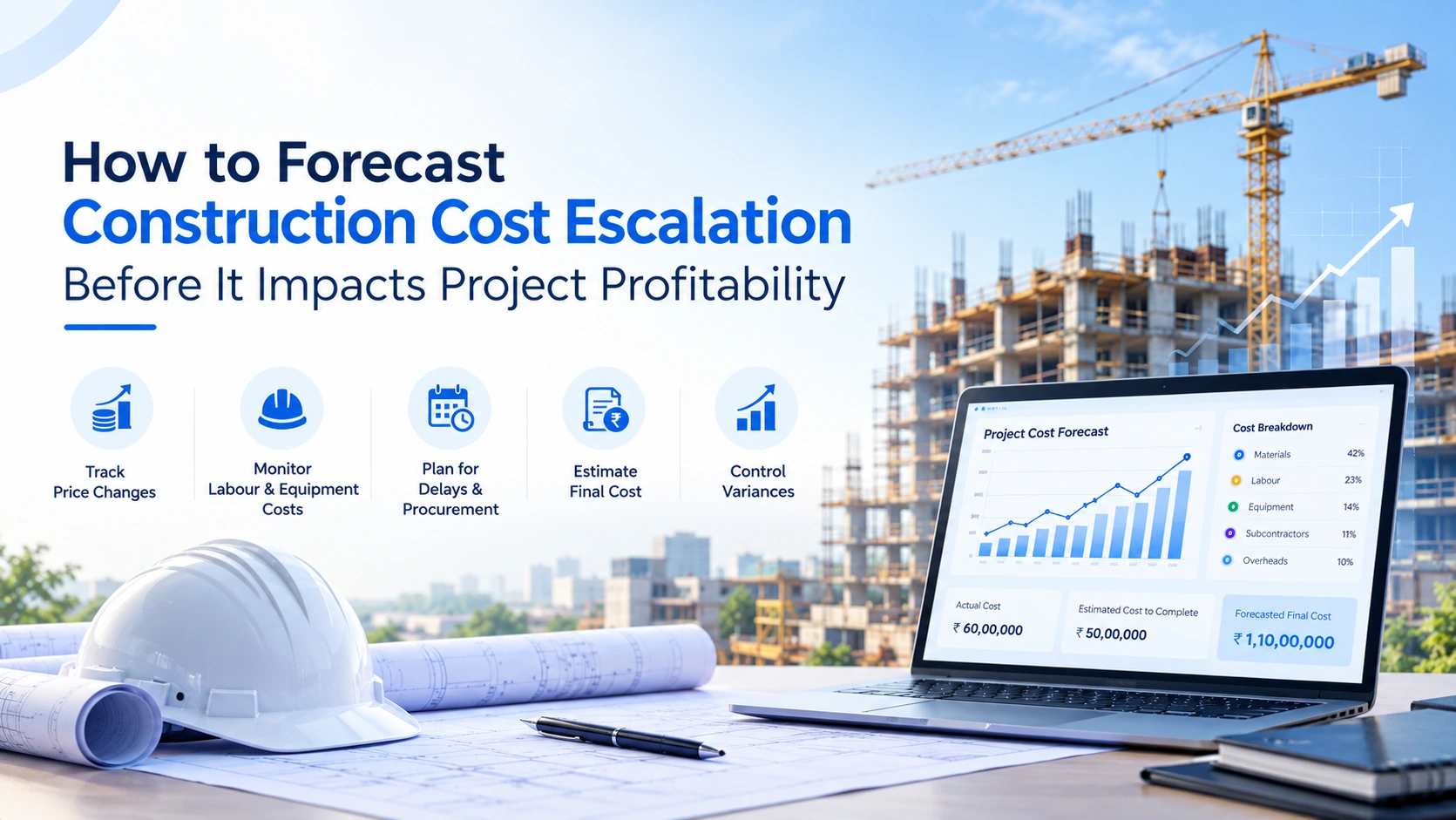
How to Forecast Construction Cost Escalation Before It Impacts Project Profitability
21 Oct 2026