Sales:
img +91-85304 14111
img
Sales: img +91 8530414111
img
img img

Blogs

Expert insights, practical advice, helpful tips, and industry-leading best practices
Home / Resource / Blogs
OUR BLOGS

Our Latest Blogs

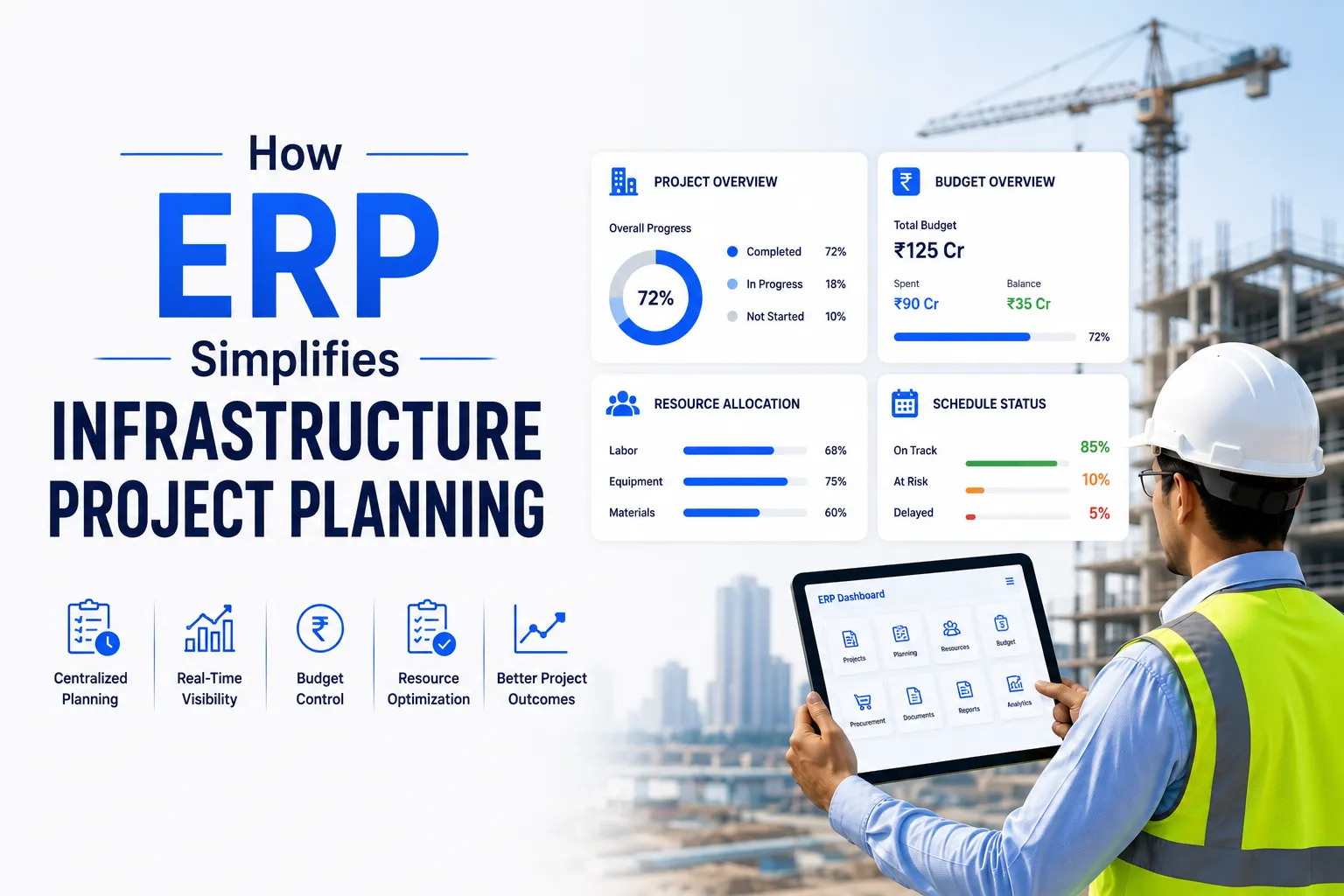
How ERP Simplifies Infrastructure Project Planning
10 Apr 2024
By bICanvas l Infrastructure

How ERP Simplifies Infrastructure Project Planning

Planning an infrastructure project is a tough task, especially when you manage it with Excel sheets and WhatsApp chats. Whether it’s a highway, metro rail system, bridge, or water treatment plant, these projects are large in scale, technically demanding, and often take several years to complete from initial planning to final execution, involving multiple phases.

Things can quickly get chaotic when there are numerous contractors, tight budgets, heavy equipment, and fluctuating deadlines. That’s where ERP (Enterprise Resource Planning) steps in as a game-changer. ERP brings all your project data into one system, giving you real-time visibility into every aspect of the job. You can plan better, track progress, control costs, and avoid delays. It connects teams, automates routine tasks, and helps you make faster decisions with accurate information. With ERP, you spend less time putting out fires and more time building successfully.

In this blog, let’s explore how ERP helps simplify and streamline infrastructure project planning.

What is ERP?

ERP is software that unifies all your business operations into a single integrated system, including project planning, finance, procurement, labor management, equipment tracking, compliance, and reporting. ERP provides a single platform where everything is connected and eliminates the need for spreadsheets, emails, and separate software for each department.

The Struggle Behind Planning Infrastructure Without ERP

You might be facing the following issues if you're handling infrastructure projects manually or using outdated tools:

  • Scattered project data: Everyone uses different tools, and files are not synchronized.
  • Delayed approvals: Procurement, design changes, or contractor payments get stuck in email threads.
  • Lack of real-time tracking: Delays or overspending go unnoticed until it’s too late.
  • Complex compliance: Hours are spent compiling records for government reporting or audits.
  • Inaccurate forecasting: Poor data leads to budget overruns and resource mismanagement.

What ERP Simplifies In Your Infrastructure Project Planning.

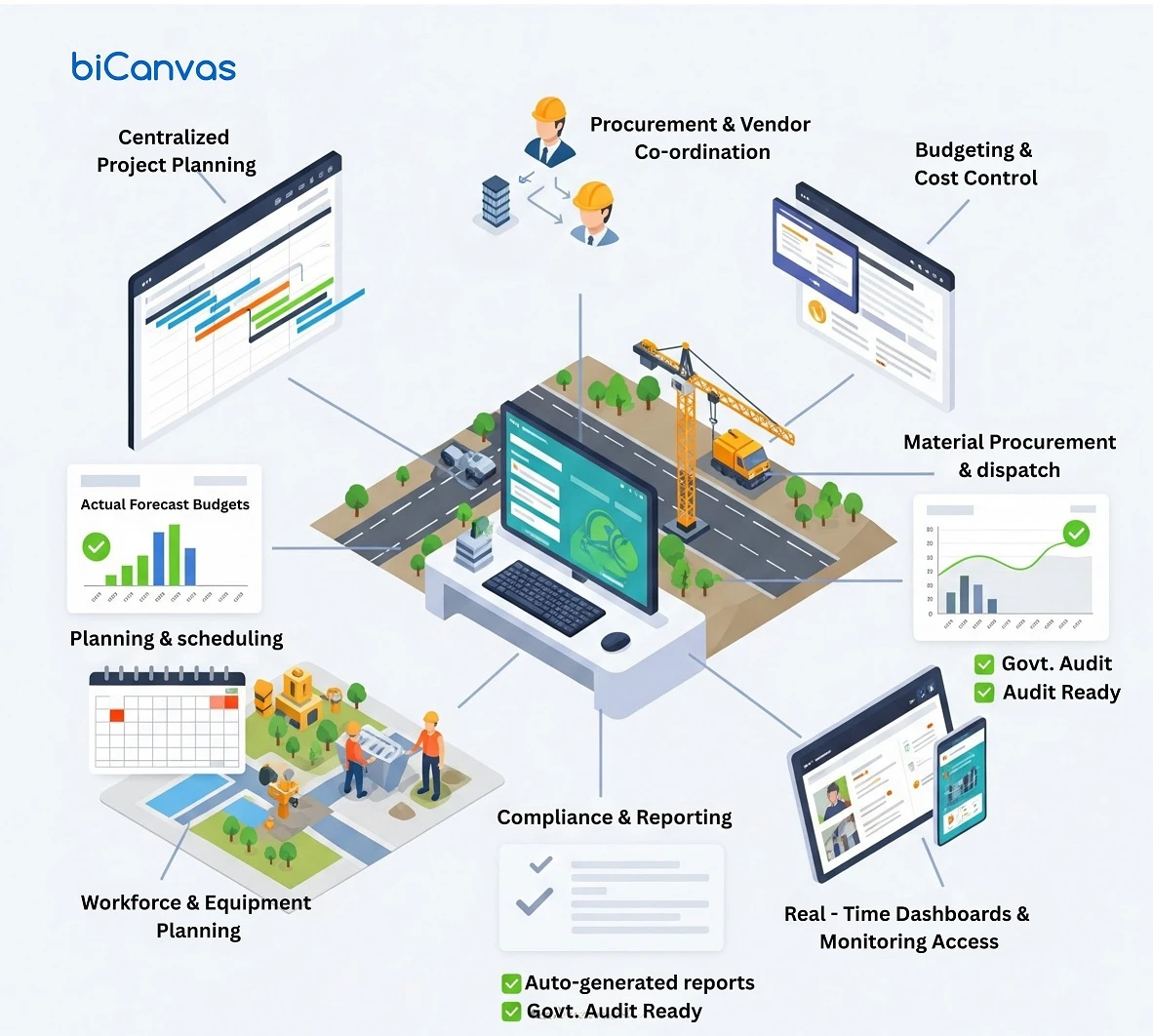
1. Centralized Project Planning

ERP allows you to define budgets, assign tasks, set milestones, and develop comprehensive project plans all in one location with biCanvas cloud-based Infrastructure ERP software.

Benefits:
  • Everyone follows the same strategy
  • Clearly defined dependencies and work allocations
  • Compare anticipated timelines with real-time progress

Imagine your project managers, engineers, and finance team all looking at the same live dashboard — eliminating confusion or duplicated effort.

2. Seamless Procurement & Vendor Coordination

ERP systems come with built-in procurement workflows for buying materials, hiring subcontractors, and managing vendors.

Benefits:
  • Create digital purchase orders and get fast approvals
  • Track material deliveries across multiple sites
  • Assign procurement expenses directly to specific projects

Track every purchase and know exactly how much has been spent and received — no more overordering or lost receipts.

3. Budgeting, Forecasting, and Cost Control

ERP tools allow you to set financial controls and track your spending at every stage of the infrastructure project.

Benefits:
  • Set budgets by project phase, task, or department
  • Compare real-time spend with planned estimates
  • Receive alerts when costs exceed budget

No more end-of-month surprises — just proactive financial control.

4. Workforce and Equipment Planning

Infrastructure requires a large workforce and heavy equipment. ERP helps in proper planning and utilization of both.

Benefits:
  • Organize labor by project phase
  • Track equipment usage and maintenance schedules
  • Avoid project delays caused by idle resources
How ERP Simplifies Infrastructure Project Planning

5. Built-in Compliance and Reporting

Public infrastructure projects are heavily regulated. ERP automates documentation and maintains audit trails for approvals and transactions.

Benefits:
  • Every transaction is digitally recorded
  • Generate client or government reports with a few clicks
  • Control access with role-based permissions

6. Real-Time Dashboards and Mobile Access

Modern ERP systems offer live dashboards and mobile access, so your site and office teams stay aligned.

Benefits:
  • Instant project status updates
  • Faster decisions, fewer delays
  • Improved communication between locations

Conclusion

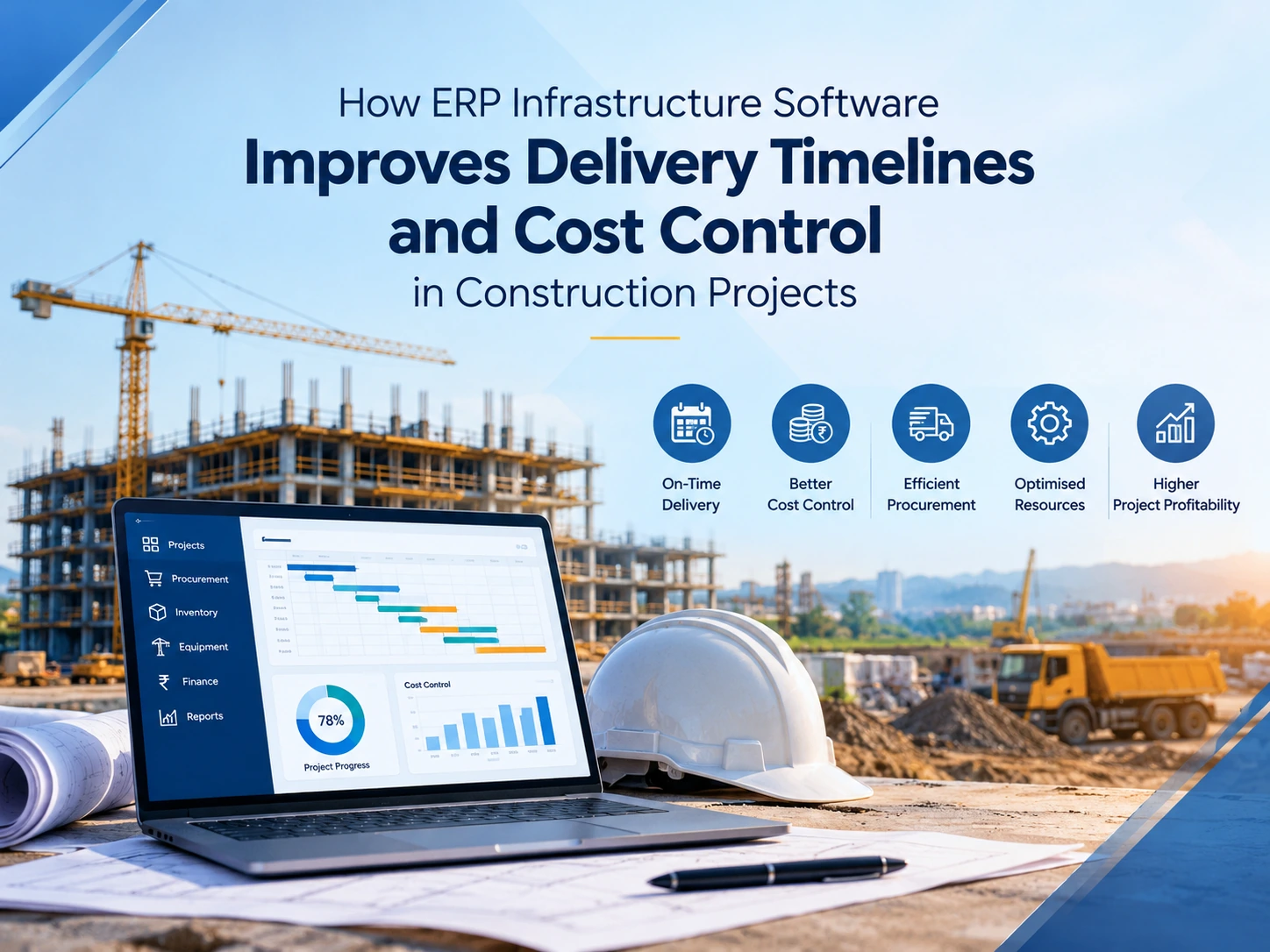
Infrastructure projects are complex — but managing them doesn’t have to be. With ERP, you don’t just digitize paperwork; you build a system for better planning, smoother execution, and stronger project outcomes.

ERP helps you:

  • Plan with clarity
  • Execute with confidence
  • Deliver on time and within budget

If your current tools are slowing you down, it’s time to invest in an ERP solution that supports long-term growth and efficiency.

Discover how a powerful ERP system can eliminate delays, reduce costs, and bring clarity to every phase of your project. Schedule a free demo today!
OUR BLOGS

Our Latest Blogs

img
10 Apr 2024
By bICanvas Infrastructure

How ERP Simplifies Infrastructure Project Planning

Planning an infrastructure project is a tough task, especially when you manage it with Excel sheets and WhatsApp chats. Whether it’s a highway, metro rail system, bridge, or water treatment plant, these projects are large in scale, technically demanding, and often take several years to complete from initial planning to final execution, involving multiple phases. Things can quickly get chaotic when there are numerous contractors, tight budgets, heavy equipment, and fluctuating deadlines. That’s where ERP (Enterprise Resource Planning) steps in as a game-changer. ERP brings all your project data into one system, giving you real-time visibility into every aspect of the job. You can plan better, track progress, control costs, and avoid delays. It connects teams, automates routine tasks, and helps you make faster decisions with accurate information. With ERP, you spend less time putting out fires and more time building successfully. In this blog, let’s explore how ERP helps simplify and streamline infrastructure project planning. What is ERP? ERP is software that unifies all your business operations into a single integrated system, including project planning, finance, procurement, labor management, equipment tracking, compliance, and reporting. ERP provides a single platform where everything is connected and eliminates the need for spreadsheets, emails, and separate software for each department. The Struggle Behind Planning Infrastructure Without ERP You might be facing the following issues if you're handling infrastructure projects manually or using outdated tools: Scattered project data: Everyone uses different tools, and files are not synchronized. Delayed approvals: Procurement, design changes, or contractor payments get stuck in email threads. Lack of real-time tracking: Delays or overspending go unnoticed until it’s too late. Complex compliance: Hours are spent compiling records for government reporting or audits. Inaccurate forecasting: Poor data leads to budget overruns and resource mismanagement. What ERP Simplifies In Your Infrastructure Project Planning. 1. Centralized Project Planning ERP allows you to define budgets, assign tasks, set milestones, and develop comprehensive project plans all in one location with biCanvas cloud-based Infrastructure ERP software. Benefits: Everyone follows the same strategy Clearly defined dependencies and work allocations Compare anticipated timelines with real-time progress Imagine your project managers, engineers, and finance team all looking at the same live dashboard — eliminating confusion or duplicated effort. 2. Seamless Procurement & Vendor Coordination ERP systems come with built-in procurement workflows for buying materials, hiring subcontractors, and managing vendors. Benefits: Create digital purchase orders and get fast approvals Track material deliveries across multiple sites Assign procurement expenses directly to specific projects Track every purchase and know exactly how much has been spent and received — no more overordering or lost receipts. 3. Budgeting, Forecasting, and Cost Control ERP tools allow you to set financial controls and track your spending at every stage of the infrastructure project. Benefits: Set budgets by project phase, task, or department Compare real-time spend with planned estimates Receive alerts when costs exceed budget No more end-of-month surprises — just proactive financial control. 4. Workforce and Equipment Planning Infrastructure requires a large workforce and heavy equipment. ERP helps in proper planning and utilization of both. Benefits: Organize labor by project phase Track equipment usage and maintenance schedules Avoid project delays caused by idle resources 5. Built-in Compliance and Reporting Public infrastructure projects are heavily regulated. ERP automates documentation and maintains audit trails for approvals and transactions. Benefits: Every transaction is digitally recorded Generate client or government reports with a few clicks Control access with role-based permissions 6. Real-Time Dashboards and Mobile Access Modern ERP systems offer live dashboards and mobile access, so your site and office teams stay aligned. Benefits: Instant project status updates Faster decisions, fewer delays Improved communication between locations Conclusion Infrastructure projects are complex — but managing them doesn’t have to be. With ERP, you don’t just digitize paperwork; you build a system for better planning, smoother execution, and stronger project outcomes. ERP helps you: Plan with clarity Execute with confidence Deliver on time and within budget If your current tools are slowing you down, it’s time to invest in an ERP solution that supports long-term growth and efficiency. Discover how a powerful ERP system can eliminate delays, reduce costs, and bring clarity to every phase of your project. Schedule a free demo today!
OUR BLOGS

Our Latest Blogs

img
10 Jul 2026
By Mansi Jha Construction

Construction Cost Estimation Software: Why Your Spreadsheet Is Costing You More Than You Think

Every construction company has a cost estimation process. The question is whether that process is controlled or chaotic. For most contractors in India, the honest answer sits somewhere in the middle. Estimates get done, bids go out, projects get won. But somewhere between the estimate and the final account, money disappears. Material quantities were off. Labour rates were outdated. A scope item got missed entirely. The project finishes below margin and nobody can explain exactly where it went wrong. That gap between estimated cost and actual cost is not inevitable. It is a data problem, and construction cost estimation software is how companies close it. This blog is for contractors who are either evaluating software for the first time or are frustrated that the tool they already use is not delivering the financial control they expected. What People Are Actually Searching for When They Look for Construction Cost Estimation Software When a project director or estimator searches for construction cost estimation software or building construction cost estimating software, they are usually trying to solve one of three problems. The first is speed. Preparing a detailed estimate for a large commercial or infrastructure project manually takes days or weeks. Tender windows are short. If your estimating process is slow, you are either submitting rushed bids with errors or missing deadlines altogether. The second is accuracy. Rates go stale. A rate library built six months ago no longer reflects what your procurement team is actually paying for steel, cement, or skilled labour. When estimates are built on outdated rates, every bid carries a margin risk that nobody can see until the project is underway. The third is traceability. When a project runs over budget, the first question a CFO or project director asks is where the estimate went wrong. If your estimate lives in an Excel file with no version history, no approval trail, and no link to what was actually procured and consumed, answering that question is nearly impossible. Construction cost estimation software addresses all three of these problems. But the way it does so, and how much value you actually get, depends heavily on whether the tool you choose is standalone or integrated into your broader construction project management and ERP system. Why Spreadsheets Break Down at Scale Spreadsheets are not inherently wrong for construction estimation. For a contractor doing three or four small projects a year, a well-structured Excel template can be perfectly serviceable. The problem is that most construction businesses outgrow their spreadsheet-based estimation process long before they realise it. The signs that a spreadsheet-based approach is no longer working are usually subtle at first. An estimator copies last month's template and forgets to update the labour rates. Two people are working on different versions of the same estimate and nobody knows which one is current. A scope item gets missed because there is no standardised checklist and the estimator was working under deadline pressure. The BOQ gets finalised and sent to the client, then the procurement team builds their purchase orders from a different set of numbers because nobody shared the latest version in time. Each of these problems is manageable in isolation. Together, across multiple concurrent projects, they create a pattern of margin erosion that looks like bad luck but is actually a systems failure. The gap between BOQ-based estimation and on-site procurement execution is one of the most common and costly breakdowns in construction operations, and it almost always starts with a disconnected estimation process. What Construction Cost Estimation Software Actually Does Good construction cost estimation software does not just calculate numbers faster than Excel. It changes the structure of how estimates are created, approved, revised, and connected to the rest of your project operations. At the core is a rate library that is maintained centrally and updated regularly. Every estimate your team creates draws from the same source of material rates, labour rates, and equipment costs. When steel prices change, the update happens once in the library and every new estimate automatically reflects current market rates. This single feature eliminates an entire category of costly errors that come from estimators working with stale data. On top of the rate library sits a structured BOQ and quantity takeoff capability. Instead of manually calculating quantities from drawings and typing them into a spreadsheet, estimators work within a structured format that is linked to activity codes, work packages, and cost centres. This structure makes estimates consistent across projects and across team members, which in turn makes project-to-project comparison meaningful. Version control and approval workflows are the feature most contractors underestimate before they implement proper software. When an estimate changes because the scope changes or the client requests a revision, the system maintains a full history of every version, who changed what, and when it was approved. This audit trail is not just useful for internal accountability. It is essential documentation when disputes arise during or after a project. The integration layer is where building construction cost estimating software creates its most significant value. When the estimate is connected to procurement, the purchase order process starts from the BOQ rather than from a separate set of calculations. When it is connected to site execution, actual material consumption can be compared to estimated quantities in real time. When it is connected to finance, the project budget is not a separate exercise but a direct output of the estimation process. This is the difference between software that helps you prepare bids and software that helps you control projects, and it is exactly what integrated construction management platforms are built to deliver. The Types of Estimates Construction Cost Software Needs to Handle One thing that makes building construction cost estimating software more complex than software for other industries is that construction companies need to produce multiple types of estimates at different stages of the project lifecycle, each serving a different purpose. A conceptual or preliminary estimate is produced before detailed drawings exist. It is typically based on per-square-foot or per-unit benchmarks from historical projects and is used for client budgeting discussions and feasibility decisions. The accuracy expectation is lower but the speed requirement is high. This estimate needs to be produced quickly and revised frequently as the design develops. A detailed BOQ-based estimate is prepared once working drawings are available. This is the foundation for tender submissions and forms the baseline budget for the project. It needs to be highly accurate, structured by work package, and directly usable as the basis for procurement planning. This is where most of the estimating work happens and where errors are most costly. A revised or variation estimate is produced during project execution when scope changes, design modifications, or client-driven additions need to be priced. These need to be fast, traceable to the original estimate, and formally approved before work proceeds. A system without proper variation management tends to accumulate undocumented scope creep that surfaces as a budget problem at project close. Post-project cost analysis is the estimate type that most companies skip but should not. Comparing final costs to original estimates, work package by work package, builds the institutional knowledge that makes future estimates more accurate. Understanding actual ROI from your construction projects requires this kind of historical cost data, and it is only available if the estimation system has been consistently maintained throughout execution. What to Actually Look for When Evaluating Building Construction Cost Estimating Software The software market for construction estimation ranges from lightweight cloud tools designed for small builders to enterprise-grade modules that sit within full ERP platforms. Before shortlisting any option, it is worth being honest about which category your business actually needs. For most contractors managing multiple concurrent projects with teams spread across sites, the features that matter most are: A centrally managed and regularly updated rate library covering materials, labour, equipment, and subcontractor rates BOQ creation with activity-level cost breakdown linked to a project WBS Version control that logs every change with a timestamp and the name of the person who made it Approval workflows that require estimates to be reviewed and signed off before they are used for bidding or procurement Direct linkage to procurement so purchase orders are generated from the same BOQ that was used in the estimate Variance reporting that compares estimated quantities and rates to actual consumption and purchase records at any point during the project What is notably absent from that list is an overly long feature checklist. The features above are the ones that determine whether the software improves your margin control in practice. Everything else is secondary. The integration question is the most important thing to resolve before signing anything. A standalone cost estimation tool that does not connect to your procurement, inventory, and finance systems will improve your bidding process but will not close the gap between estimated cost and actual cost. That gap is where the margin goes. If the estimation system cannot talk to the rest of your operations, you are solving half the problem and paying for the full solution. How Estimation Software Connects to Tender Management and CRM For contractors who are also evaluating tender management software or CRM tools at the same time, it is worth understanding how these three systems relate to each other in a properly integrated setup. The CRM captures the lead and manages the client relationship through the pre-award phase. When a tender is received, the tender management system logs it, tracks the deadline, and manages the document assembly process. The cost estimation software is what the estimating team uses to build the pricing that goes into that tender. When these three systems are connected, the pricing in the tender response comes directly from the estimator's BOQ calculation without anyone manually transferring numbers. That single connection point eliminates one of the most common and costly errors in the bidding process. The way CRM and tender management work together in construction explains this flow in more detail. When the tender is won and the project begins, the same BOQ that formed the basis of the bid becomes the budget baseline for execution. Procurement happens against it. Material consumption is tracked against it. Variations are approved against it. The estimate is not a document that gets filed away after the contract is signed. It becomes the financial backbone of the entire project. The Real Cost of Getting This Wrong Most contractors underestimate the financial impact of a poor estimation process because the losses are distributed across many projects and are easy to attribute to other causes. A project finishes two percent below margin and the explanation is that steel prices went up. Another project has a cost overrun in civil works and the explanation is that the soil conditions were worse than expected. A third project has a procurement overspend and the explanation is that the site team ordered more material than planned. Some of these explanations are partially true. But behind most of them is a common root cause: the estimate was not detailed enough, the rates were not current, the scope was not fully captured, or the procurement team was working from a different set of numbers than the estimating team. Construction cost estimation software does not eliminate project risk. It does eliminate the category of risk that comes from a disconnected, manually managed estimation process. That category is larger than most companies realise, and the vendor management and cost governance frameworks that protect margin during execution can only function properly when they are built on an accurate and traceable foundation from the estimating stage. Getting Started: What the Implementation Process Actually Looks Like One concern that comes up frequently when contractors evaluate estimation software is implementation complexity. The assumption is that migrating from spreadsheets to a structured system will be disruptive and slow. In practice, the transition is more manageable than most teams expect, particularly when it is approached in phases. The first priority is building the rate library. This means pulling together your current material rates, labour rates, and equipment costs from your existing spreadsheets, historical purchase orders, and procurement team knowledge, and loading them into the system with clear categorisation. This exercise alone is valuable because it forces the organisation to establish a single source of truth for cost data that may have been scattered across multiple files and people. The second phase is running the new system in parallel with the old process on one or two live projects. Estimates are prepared in both the old way and the new system so that the team can compare outputs, identify gaps, and build confidence before the old process is retired. By the third phase, the system is the process. New projects start their estimate in the software. The rate library is updated as procurement data comes in. Variance reports are reviewed at project milestones. The estimation function starts contributing to financial control rather than just bid preparation. This is the point where construction cost estimation software delivers its actual value, not at the moment of implementation but when the data it generates starts informing how your business manages projects, prices future bids, and protects margin across a growing portfolio. biCanvas brings cost estimation, procurement, project execution, and financial reporting into a single connected platform built specifically for construction and infrastructure companies. If you want to see how it handles estimation in the context of your actual project types and scale, book a free demo with our team.

OUR BLOGS

Our Latest Blogs

img
03 Jul 2026
By Mansi Jha Manufacturing

Manufacturing ERP Software: Answers to the Most Common Questions Manufacturers Ask

Manufacturing companies operate in environments where production efficiency, inventory accuracy, and supply chain coordination directly impact profitability. As operations expand, managing production schedules, procurement activities, inventory levels, and financial processes using disconnected systems becomes increasingly difficult. This is why many manufacturers adopt ERP (Enterprise Resource Planning) software. Manufacturing ERP platforms integrate operational processes such as production planning, procurement management, inventory tracking, and financial reporting into a single digital system. With centralized data and automated workflows, manufacturers gain better operational visibility and improve decision-making across departments. This article answers some of the most frequently asked questions about manufacturing ERP software to help businesses understand what capabilities they should look for when evaluating an ERP platform.     Quick Answers About Manufacturing ERP Software Manufacturing ERP software is designed to manage core business processes across production, inventory, procurement, and financial operations within a unified system. Key capabilities typically include: • production planning and scheduling• inventory and warehouse management• procurement and supplier coordination• quality control monitoring• supply chain management• operational analytics and reporting By connecting these processes, ERP systems allow manufacturers to streamline workflows, reduce operational inefficiencies, and scale their production operations effectively.     What Is Manufacturing ERP Software? Manufacturing ERP software is an enterprise management system that integrates production operations, inventory management, procurement processes, supply chain coordination, and financial data into a centralized platform. It enables manufacturers to automate workflows, maintain accurate operational data, and gain real-time visibility across the entire production lifecycle. By consolidating operational information within a single system, ERP platforms help manufacturers reduce manual processes, improve planning accuracy, and maintain better control over business operations.     Which Manufacturing ERP Software Offers the Best Integration With Existing Systems? Manufacturing ERP systems that support strong integration capabilities allow businesses to connect their existing tools such as accounting software, procurement platforms, CRM systems, and production management tools. Integration is important because manufacturing companies often rely on multiple digital systems. Without proper integration, information must be transferred manually between systems, which increases the risk of errors and operational delays. ERP software with strong integration capabilities ensures that data flows automatically between departments, helping manufacturers maintain consistent information across production, procurement, and financial operations.     What Are the Top ERP Solutions for Small to Medium Manufacturing Businesses? ERP solutions designed for small and medium manufacturing businesses typically focus on operational efficiency, scalability, and ease of implementation. These systems integrate production planning, inventory tracking, procurement workflows, and financial management into a unified platform. For growing manufacturers, ERP platforms that automate operational processes and provide centralized data visibility are particularly valuable. They allow organizations to manage production operations efficiently while maintaining flexibility to scale operations as the business grows.     Which ERP Providers Offer Scalable Manufacturing Software for Growing Companies? Scalable manufacturing ERP software is designed to support business expansion without requiring major system changes. As manufacturing companies grow, they often increase production volumes, expand product catalogs, add new suppliers, and operate multiple production facilities. ERP systems built with scalability in mind allow companies to handle this operational growth while maintaining centralized control over data and workflows. Scalable platforms enable manufacturers to add new operational modules, users, and facilities without disrupting existing processes.     Where Can I Find Manufacturing ERP Software With Strong Customer Support in India? Manufacturing companies evaluating ERP software in India should prioritize providers that offer reliable implementation assistance, technical support, and industry expertise. Strong customer support is important during both the implementation phase and day-to-day operations. ERP vendors with experienced support teams help manufacturers configure workflows correctly, resolve technical issues quickly, and ensure the system continues to meet evolving operational requirements. Companies should evaluate ERP providers based on their implementation experience, support responsiveness, and familiarity with manufacturing processes.     Which ERP Platforms Specialize in Discrete Manufacturing Processes? Discrete manufacturing involves assembling finished products from individual components. Industries such as machinery manufacturing, electronics production, and industrial equipment manufacturing commonly use discrete production models. ERP systems designed for discrete manufacturing typically include features such as bill of materials management, work order tracking, production scheduling, and component inventory management. These capabilities help manufacturers coordinate assembly processes, manage component availability, and maintain accurate production records.     What Manufacturing ERP Software Includes Comprehensive Inventory Management Features? Inventory management is one of the most important capabilities within manufacturing ERP systems. ERP platforms with strong inventory management features provide real-time stock tracking, automated inventory updates, warehouse visibility, and demand forecasting capabilities. These tools help manufacturers maintain optimal inventory levels, reduce material shortages, and avoid excess stock that can increase operational costs. Integrated inventory management also improves production planning by ensuring that required materials are available when production begins.     Which ERP Vendors Provide Cloud-Based Manufacturing Solutions? Cloud-based ERP solutions allow manufacturing companies to manage operations through secure online platforms instead of relying on on-premise infrastructure. Cloud ERP systems provide several advantages, including faster deployment, reduced IT infrastructure costs, automatic software updates, and remote accessibility. For manufacturing organizations with distributed teams or multiple production facilities, cloud ERP platforms make it easier to access operational data and manage processes from different locations.     What Manufacturing ERP Systems Offer Easy Implementation With Minimal Downtime? ERP implementation can be complex if not properly planned. However, systems designed with modular architecture and industry-specific workflows typically allow smoother implementation. Manufacturers can minimize operational downtime by preparing operational data before migration, training employees before system deployment, and implementing ERP modules in phases. Choosing an ERP platform with structured implementation support also helps organizations transition to the system with minimal disruption to production operations.     Which ERP Software Solutions Support Multi-Site Manufacturing Operations? Manufacturers that operate multiple production facilities require ERP systems capable of managing operations across different locations. Multi-site manufacturing ERP platforms allow companies to maintain centralized visibility while enabling individual facilities to manage local production activities. These systems help organizations coordinate inventory transfers, standardize operational processes, and maintain consistent reporting across all manufacturing locations.     What Manufacturing ERP Platforms Offer Advanced Production Scheduling Tools? Production scheduling tools within ERP systems help manufacturers plan work orders, allocate production resources, and manage machine utilization effectively. Advanced scheduling features allow production managers to adjust schedules based on changing demand, equipment availability, and material supply. These tools help manufacturers optimize production capacity, reduce downtime, and ensure that orders are completed according to planned timelines.     Where Can I Get Manufacturing ERP Software With Built-In Quality Control Modules? Quality control is a critical component of manufacturing operations. ERP platforms that include built-in quality management modules help companies monitor product quality throughout the production lifecycle. Quality management features may include inspection tracking, defect reporting, compliance documentation, and corrective action management. These tools allow manufacturers to identify potential quality issues early and maintain consistent production standards.     Which ERP Providers Have Strong Analytics and Reporting Features for Manufacturers? ERP systems with strong analytics capabilities help manufacturers transform operational data into meaningful insights. Advanced reporting tools allow organizations to analyze production efficiency, monitor inventory turnover, evaluate procurement performance, and track operational costs. By providing real-time dashboards and detailed performance reports, ERP analytics tools support better decision-making and help manufacturers continuously improve operational performance.     What ERP Solutions Offer Mobile Access for Manufacturing Plant Managers? Mobile-enabled ERP systems allow plant managers and operational teams to access system data through smartphones or tablets. This capability enables managers to review reports, monitor production performance, approve workflows, and track operational activities even when they are not physically present on the shop floor. Mobile ERP access improves operational responsiveness and ensures that important decisions can be made quickly.     Which Manufacturing ERP Software Includes Supply Chain Management Capabilities? Manufacturing ERP systems often include integrated supply chain management tools that help companies coordinate procurement, supplier management, logistics, and demand forecasting. Supply chain modules allow manufacturers to track supplier performance, monitor procurement cycles, and ensure that materials arrive on time for production. Integrated supply chain visibility also helps organizations respond quickly to disruptions or demand fluctuations.     Where Can I Find ERP Software That Supports Batch Manufacturing Processes? Batch manufacturing involves producing goods in groups or batches rather than through continuous production. Industries such as food processing, pharmaceuticals, chemicals, and specialty materials commonly use batch production methods. ERP systems designed for batch manufacturing typically include batch tracking, formula management, production traceability, and compliance documentation. These capabilities allow manufacturers to maintain consistent product quality and ensure regulatory compliance.     Core Capabilities of Manufacturing ERP Software Capability What It Helps Manufacturers Do Production Planning Schedule work orders and allocate production resources Inventory Management Track materials and finished goods in real time Procurement Management Manage suppliers and purchasing processes Quality Control Monitor product quality and compliance Supply Chain Management Coordinate suppliers, logistics, and demand Reporting and Analytics Generate operational insights and performance dashboards     Conclusion Manufacturing ERP systems provide the digital infrastructure that connects production operations, supply chain management, procurement workflows, and financial reporting into a unified platform. By integrating these processes, ERP software helps manufacturers improve operational visibility, reduce manual tasks, and make better data-driven decisions. For growing manufacturing businesses, implementing the right ERP platform can significantly enhance operational efficiency and provide the foundation needed to scale production capabilities while maintaining control over complex business processes.

OUR BLOGS

Our Latest Blogs

img
08 Dec 2025
By Mansi Jha Ready Mix Concrete

Best Ready Mix Concrete ERP (RMC ERP) in 2026 — Complete Guide

The Ready-Mix Concrete industry has always operated under pressure — tight timelines, strict mix-design requirements, real-time dispatch coordination, unpredictable delays, rising material costs, and the responsibility of delivering consistent quality to every site. In 2026, the complexity has only increased. Customers expect faster deliveries, tighter quality control, and complete traceability, while RMC companies need better control over batching, logistics, and cost to stay profitable. This is where Ready Mix Concrete ERP (RMC ERP) systems play a crucial role. Unlike generic ERPs, RMC-focused solutions are designed specifically to handle batching, raw material planning, fleet management, delivery scheduling, mix-design control, silo-level inventory, and quality assurance. A modern RMC ERP not only improves operational stability but also reduces wastage, prevents errors, and brings transparency across plants. This guide explores the 10 best Ready-Mix Concrete ERP software solutions in 2026, evaluated on depth, reliability, scalability, and real-world usefulness. Why RMC Businesses Are Moving to ERP in 2026 Managing an RMC business manually is becoming increasingly difficult. Plants run multiple batches per hour, fleets are constantly on the move, mix designs need precision, and customers demand instant updates. Plant operators, dispatch teams, supervisors, and accounts teams often struggle with disconnected systems — spreadsheets, WhatsApp messages, handwritten delivery slips, and offline batching reports. RMC ERP solves these challenges by standardizing mix designs, coordinating dispatch in real time, preventing raw material shortages, reducing billing errors, and providing end-to-end visibility — from batching to delivery. Companies adopting RMC ERP in 2026 are seeing a clear improvement in operational efficiency, faster deliveries, reduced wastage, and better cash flow. How We Selected the Top RMC ERP Solutions Every ERP listed in this article was evaluated based on several core parameters: batching integration capability, material consumption tracking, delivery scheduling and fleet management, quality control depth, multi-plant scalability, financial integration, ease of implementation, mobile accessibility, and overall cost-value ratio. Our goal was to highlight platforms that genuinely understand the realities of RMC operations and deliver measurable improvements. 1. biCanvas ERP — Best Overall RMC ERP for 2026 biCanvas stands out because of how well it connects the entire lifecycle of ready-mix operations. While it is widely used across construction, infrastructure, supply chain, and manufacturing, its workflow depth makes it naturally strong for RMC businesses. It brings batching, materials, dispatch, equipment, and financials under one ecosystem, making it suitable for both single-plant operators and large multi-plant companies. The system offers real-time visibility of plant production, inventory levels, order status, and fleet movement. Its dispatch workflows help reduce delays caused by poor coordination, while built-in financial controls ensure every load is tracked until invoicing. What makes biCanvas particularly effective is how smoothly it handles multi-department connectivity — something many RMC companies struggle with when using fragmented systems. The platform doesn’t feel promotional or pushy; instead, it fits organically into the operational needs most RMC companies already recognize. 2. Inntech RMC ERP — Ideal for Small and Mid-Sized Operators Inntech provides an easy-to-understand interface, basic batching integration, and simple inventory management—making it suitable for companies just transitioning from manual operations. It is affordable, quick to deploy, and handles essential workflows without overwhelming teams. While not as comprehensive as enterprise-grade systems, it meets the needs of smaller plants effectively. 3. ReadyMix ERP (TMS) — Strong for Quality-Driven Environments Companies that prioritize mix-design accuracy and testing often choose ReadyMix ERP. It offers strong QC workflows, batch-wise quality records, automated delivery notes, and compliance documentation. Plants with tight quality requirements benefit greatly from its structured reporting and traceability features. 4. QCRETE ERP — Best for Multi-Location Enterprises QCRETE suits organizations operating several RMC plants across regions. Its central dashboards make it easy for management to monitor material consumption, plant performance, and delivery patterns across units. The system also includes advanced QC features, though it requires a longer implementation period and slightly higher investment. 5. E-ReadyMix ERP — Focused on Dispatch & Delivery Optimization This ERP is favored by companies where delivery timelines are the biggest challenge. The software provides route planning, GPS tracking, and dispatch automation, helping teams reduce delays and manage peak hours more efficiently. Its strength lies more on the logistics side than in deep manufacturing workflows. 6. TRANSFLOW RMC ERP — Best for Fleet-Heavy Operations TRANSFLOW is designed for companies managing large fleets of transit mixers, pump trucks, and material carriers. Its dispatch engine and real-time vehicle tracking allow operations teams to maximize fleet utilization. It performs especially well in high-volume RMC markets where vehicle movement directly affects profitability. 7. ERPNext (Customized for RMC) — Flexible and Cost-Efficient ERPNext is an open-source platform that becomes useful when customized for RMC. It can manage sales orders, batching reports, material usage, and billing, but requires development support to match the depth of purpose-built RMC ERPs. It works best for smaller businesses with budget limitations and simple workflows. 8. ReadyMix360 — Best Lightweight Cloud-Native Option ReadyMix360 is cloud-based, modern, and easy to learn. It fits companies looking for a clean UI and quick deployment. Although feature depth is moderate compared to enterprise-grade platforms, it covers essential workflows effectively. 9. CIMS RMC ERP — Strongest for Quality & Testing Records CIMS is known for its comprehensive QC module. It enables plants to maintain detailed records of slump tests, cube tests, mix variations, and compliance logs. Companies that must follow strict quality documentation standards often prefer this system. 10. Propel RMC Suite — Best for Basic Workflow Digitalization Propel offers straightforward features for batching, invoicing, and material tracking. It is suitable for small plants that need digital structure without extensive automation or high-level analytics. It provides a good starting point for early-stage RMC companies. Choosing the Right RMC ERP Selecting the right ERP depends on plant size, production volume, and operational complexity. For quality-driven plants, QC modules are essential. For businesses focused on timely deliveries, fleet and dispatch optimization are priorities. Multi-plant operations require centralized dashboards and consolidated reporting. Modern RMC operations benefit from connected, mobile-first platforms that reduce errors and streamline operations. Why biCanvas ERP Stands Out Among all RMC ERPs, biCanvas is uniquely positioned. It combines end-to-end operational visibility, mobile-first workflows, financial integration, and plant-to-office connectivity. With biCanvas, managers can track production, fleet, inventory, and costs in real time — without juggling multiple tools. The platform is scalable, cloud-native, and built for growth, making it the preferred choice for RMC companies aiming for efficiency, accuracy, and profitability. Take Action Now If your RMC business is ready to eliminate manual inefficiencies, ensure consistent quality, and gain complete visibility across plants, it’s time to explore the possibilities with biCanvas. Book a demo today and experience how a purpose-built RMC ERP can transform your operations and profitability.