


 +91-85304 14111




OUR BLOGS
Our Latest Blogs
07 Aug 2026
By Mansi Jha l Construction
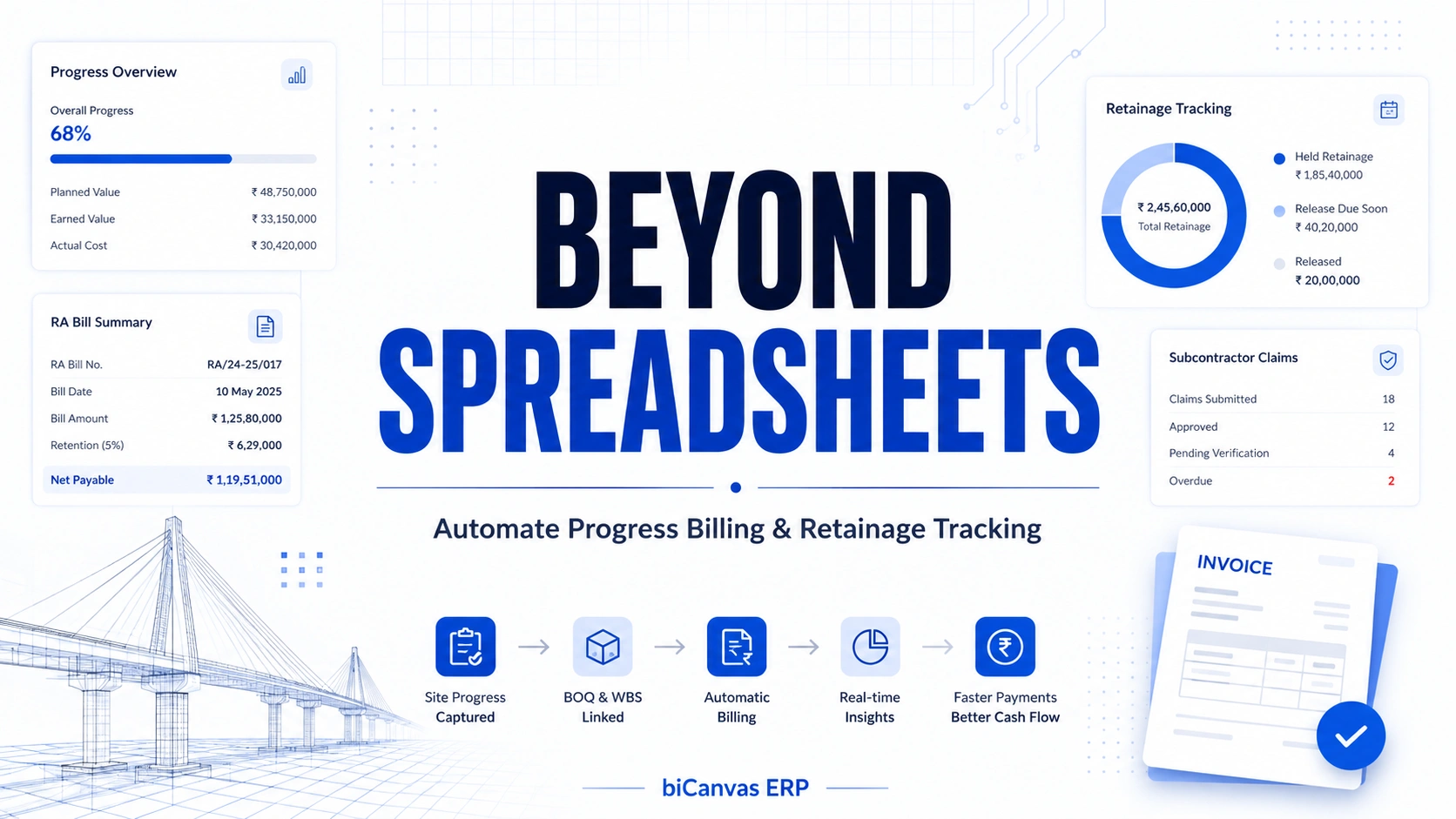
Beyond the Spreadsheet: Automating Infrastructure Progress Claims and Retainage Tracking
In large-scale civil engineering and infrastructure projects, a contractor's biggest bottleneck isn't moving dirt or pouring concrete. It's getting paid for it.
Unlike retail or standard manufacturing, where goods are exchanged for fixed, upfront prices, infrastructure billing is a long, bureaucratic cycle of milestones, physical verifications, and rolling deductions. For a typical project, you are dealing with Running Account (RA) bills, variable item rates from a massive Bill of Quantities (BOQ), mobilization advances, and complex subcontractor progress claims.
To make matters more challenging, there is the issue of retainage, or retention money. Client organizations routinely withhold 5% to 10% of every invoice to ensure the project is completed to specification.
When your billing engineering team relies on manual spreadsheets to calculate these figures across multiple active sites, mistakes are inevitable. A single formula error can lead to under-billing, over-paying subcontractors, or losing track of millions in withheld retention money.
To maintain healthy project margins and steady cash flow, modern infrastructure firms are abandoning disconnected spreadsheets and moving toward integrated construction progress payments software.
Part 1: The Administrative Chaos of Manual Infrastructure Billing
Infrastructure contracts are inherently fluid. Scope changes, material price variations, and site conditions mean that what was planned during construction cost estimation rarely reflects what happens on the ground. When multiple change orders are floating around in email threads while work is actively being executed on site, tracking what is billable becomes an operational nightmare.
When managing these shifts manually, a construction company faces three primary administrative friction points.
1. The Disconnect Between Physical Progress and Financial Invoicing
Before an RA bill can be raised, the work must be physically measured and certified on site. When site measurement books live on paper or isolated laptops, the back office in charge of invoicing operates blindly. This data silo results in billing delays, sometimes causing a firm to wait 40 to 60 days to invoice for work that has already been completed.
2. The Nightmare of Multi-Tiered Retainage Tracking
If an infrastructure firm balances five major government clients and dozens of specialized subcontractors, tracking retainage becomes dizzying. The main client holds retainage against you, while you simultaneously hold a separate percentage of retainage against your subcontractors. Keeping tabs on when these specific milestone periods expire, and when that cash should legally be released, is virtually impossible without a centralized database.
3. Cumulative Deduction Discrepancies
Every progress claim requires recalculating cumulative work completed to date, deducting previous payments, accounting for material advances, and adjusting for statutory taxes like TDS and GST. A single human error in any of these line items can halt an entire payment cycle, forcing your billing team to completely restart the approval loop with the client's auditors.
Furthermore, manual processes make it incredibly difficult to reconcile material consumption against progress claims. This is the same operational gap explored in why construction operations break between BOQ and MRN: if your spreadsheet doesn't flag that a subcontractor has pulled 120% of the allocated steel for a specific milestone but only completed 80% of the physical work, you are effectively financing their operational inefficiencies. This lack of real-time material-to-billing reconciliation is precisely where infrastructure companies leak their highest margins without realizing it until the project is near completion.
Part 2: How Progress Payments Software Streamlines the Invoice Lifecycle
Dedicated infrastructure ERP billing platforms remove manual calculations from the equation by linking project planning data directly with accounting engines. By creating a unified digital pathway from the site engineer's mobile device to the finance head's desktop, the software eliminates the double data entry that frequently breeds human error.
Here is exactly how an integrated progress billing system handles a live construction cycle from start to finish.
1. Unified Work Breakdown Structure (WBS) Mapping
Instead of treating billing as an isolated accounting task, the software connects every line item on a bid to a specific task in your Work Breakdown Structure. This is part of the broader shift toward an integrated control architecture for construction operations, where BOQ and estimation carry version control instead of living in disconnected files. When a project manager updates the progress of a specific bridge pier or highway kilometer, the system automatically translates that physical volume into a billable monetary value based on pre-approved contract rates.
2. Digital Joint Measurement Records (JMR)
Instead of waiting weeks for client representatives and site engineers to sign off on physical measurement books, the software facilitates digital Joint Measurement Records. Site teams can upload surveyed quantities, attach geo-tagged site photographs, and log initial clearances directly into the system. This transparency reduces disputes with client auditors and slashes the time it takes to get an initial billing milestone certified.
3. Automated RA Bill and Progress Claim Generation
With all site data flowing into a centralized cloud database, generating an RA bill takes minutes instead of days. The billing engineer selects the project milestone, and the system pulls historical data to instantly populate:
- Total work executed during the current billing period
- Cumulative work completed to date
- Automated deductions for mobilization advances and raw materials supplied to site
This works the same way expense management software for construction tracks committed versus actual cost: the moment a purchase order is raised it shows up as committed cost, and once materials are received and invoices processed, actual expenses update automatically against the project budget. No manual reconciliation, no lag between what was spent and what was billed.
4. Precision Retainage Matrix Management
Good construction progress payments software features built-in rule engines designed to manage retainage automatically. When setting up a contract in the system, you can input the exact retention parameters:
- Automatically deduct a set percentage, for example 7.5%, from every progress claim up to a specific cap
- Differentiate between client-side retention and subcontractor-side retention
- Set automated calendar alerts for the Defect Liability Period, reminding finance teams exactly when to submit a formal request for the release of withheld retention funds
Part 3: Protecting Your Margins with Subcontractor Progress Verification
For general contractors and engineering, procurement, and construction firms, managing outgoing cash flow is just as critical as bringing revenue in. Subcontractors frequently submit progress claims that overestimate their actual work on site, leading to over-advancement of funds and severe working capital strain on the main contractor.
By deploying an enterprise-grade billing system, your project managers gain access to a secure contractor payment certification workflow:
- Digital claim submission. Subcontractors log into a portal to submit their monthly progress claims digitally against their specific scope of work.
- On-site verification. The system prompts the site engineer to verify the claim against actual field data and daily progress reports, the same verification discipline covered in defect management in construction, where structured, system-based checks replace scattered spreadsheets and messages.
- Automated line-item capping. If a subcontractor tries to bill for 110% of an item without an approved change order, the ERP instantly flags the overrun and caps the payment request at the maximum allowed budget limit.
This automated validation ensures that you only pay for verified, physical work in place. Additionally, the platform automatically aligns the release of subcontractor payments with the incoming milestone receipts from the primary client. This mechanism protects your liquid cash reserves, preventing situations where your company is forced to self-fund subcontractor work while waiting for a slow-moving government or private client check to clear.
Conclusion: Turning Billing Efficiency Into Your Competitive Advantage
In large-scale civil construction, the companies that thrive aren't necessarily the ones with the largest fleets of machinery. They are the ones that maintain absolute control over their cash flow and working capital.
Continuing to run multi-crore infrastructure projects on legacy spreadsheets leaves your cash flow vulnerable to human error, delayed billing cycles, and unrecovered retainage.
Embracing specialized construction progress payments software transforms billing from a slow, backward-looking administrative chore into a fast, forward-looking strategic asset. If you're still comparing platforms, our roundup of the best infrastructure ERP software for 2026 breaks down how the major players stack up on exactly this kind of billing and retainage automation. By automating progress claims and systematically tracking every penny of retention money, you ensure your cash stays out of administrative limbo and remains active on the project floor where it belongs.
Ready to accelerate your project cash flow?
Stop losing track of your margins in disconnected spreadsheets. Discover how biCanvas ERP can integrate your project schedules, site measurements, and financial billing into a single source of truth.
Click here to book a free demo with an infrastructure billing specialist today.
OUR BLOGS
Our Latest Blogs
07 Aug 2026
By Mansi Jha Construction
Beyond the Spreadsheet: Automating Infrastructure Progress Claims and Retainage Tracking
In large-scale civil engineering and infrastructure projects, a contractor's biggest bottleneck isn't moving dirt or pouring concrete. It's getting paid for it. Unlike retail or standard manufacturing, where goods are exchanged for fixed, upfront prices, infrastructure billing is a long, bureaucratic cycle of milestones, physical verifications, and rolling deductions. For a typical project, you are dealing with Running Account (RA) bills, variable item rates from a massive Bill of Quantities (BOQ), mobilization advances, and complex subcontractor progress claims. To make matters more challenging, there is the issue of retainage, or retention money. Client organizations routinely withhold 5% to 10% of every invoice to ensure the project is completed to specification. When your billing engineering team relies on manual spreadsheets to calculate these figures across multiple active sites, mistakes are inevitable. A single formula error can lead to under-billing, over-paying subcontractors, or losing track of millions in withheld retention money. To maintain healthy project margins and steady cash flow, modern infrastructure firms are abandoning disconnected spreadsheets and moving toward integrated construction progress payments software. Part 1: The Administrative Chaos of Manual Infrastructure Billing Infrastructure contracts are inherently fluid. Scope changes, material price variations, and site conditions mean that what was planned during construction cost estimation rarely reflects what happens on the ground. When multiple change orders are floating around in email threads while work is actively being executed on site, tracking what is billable becomes an operational nightmare. When managing these shifts manually, a construction company faces three primary administrative friction points. 1. The Disconnect Between Physical Progress and Financial Invoicing Before an RA bill can be raised, the work must be physically measured and certified on site. When site measurement books live on paper or isolated laptops, the back office in charge of invoicing operates blindly. This data silo results in billing delays, sometimes causing a firm to wait 40 to 60 days to invoice for work that has already been completed. 2. The Nightmare of Multi-Tiered Retainage Tracking If an infrastructure firm balances five major government clients and dozens of specialized subcontractors, tracking retainage becomes dizzying. The main client holds retainage against you, while you simultaneously hold a separate percentage of retainage against your subcontractors. Keeping tabs on when these specific milestone periods expire, and when that cash should legally be released, is virtually impossible without a centralized database. 3. Cumulative Deduction Discrepancies Every progress claim requires recalculating cumulative work completed to date, deducting previous payments, accounting for material advances, and adjusting for statutory taxes like TDS and GST. A single human error in any of these line items can halt an entire payment cycle, forcing your billing team to completely restart the approval loop with the client's auditors. Furthermore, manual processes make it incredibly difficult to reconcile material consumption against progress claims. This is the same operational gap explored in why construction operations break between BOQ and MRN: if your spreadsheet doesn't flag that a subcontractor has pulled 120% of the allocated steel for a specific milestone but only completed 80% of the physical work, you are effectively financing their operational inefficiencies. This lack of real-time material-to-billing reconciliation is precisely where infrastructure companies leak their highest margins without realizing it until the project is near completion. Part 2: How Progress Payments Software Streamlines the Invoice Lifecycle Dedicated infrastructure ERP billing platforms remove manual calculations from the equation by linking project planning data directly with accounting engines. By creating a unified digital pathway from the site engineer's mobile device to the finance head's desktop, the software eliminates the double data entry that frequently breeds human error. Here is exactly how an integrated progress billing system handles a live construction cycle from start to finish. 1. Unified Work Breakdown Structure (WBS) Mapping Instead of treating billing as an isolated accounting task, the software connects every line item on a bid to a specific task in your Work Breakdown Structure. This is part of the broader shift toward an integrated control architecture for construction operations, where BOQ and estimation carry version control instead of living in disconnected files. When a project manager updates the progress of a specific bridge pier or highway kilometer, the system automatically translates that physical volume into a billable monetary value based on pre-approved contract rates. 2. Digital Joint Measurement Records (JMR) Instead of waiting weeks for client representatives and site engineers to sign off on physical measurement books, the software facilitates digital Joint Measurement Records. Site teams can upload surveyed quantities, attach geo-tagged site photographs, and log initial clearances directly into the system. This transparency reduces disputes with client auditors and slashes the time it takes to get an initial billing milestone certified. 3. Automated RA Bill and Progress Claim Generation With all site data flowing into a centralized cloud database, generating an RA bill takes minutes instead of days. The billing engineer selects the project milestone, and the system pulls historical data to instantly populate: Total work executed during the current billing period Cumulative work completed to date Automated deductions for mobilization advances and raw materials supplied to site This works the same way expense management software for construction tracks committed versus actual cost: the moment a purchase order is raised it shows up as committed cost, and once materials are received and invoices processed, actual expenses update automatically against the project budget. No manual reconciliation, no lag between what was spent and what was billed. 4. Precision Retainage Matrix Management Good construction progress payments software features built-in rule engines designed to manage retainage automatically. When setting up a contract in the system, you can input the exact retention parameters: Automatically deduct a set percentage, for example 7.5%, from every progress claim up to a specific cap Differentiate between client-side retention and subcontractor-side retention Set automated calendar alerts for the Defect Liability Period, reminding finance teams exactly when to submit a formal request for the release of withheld retention funds Part 3: Protecting Your Margins with Subcontractor Progress Verification For general contractors and engineering, procurement, and construction firms, managing outgoing cash flow is just as critical as bringing revenue in. Subcontractors frequently submit progress claims that overestimate their actual work on site, leading to over-advancement of funds and severe working capital strain on the main contractor. By deploying an enterprise-grade billing system, your project managers gain access to a secure contractor payment certification workflow: Digital claim submission. Subcontractors log into a portal to submit their monthly progress claims digitally against their specific scope of work. On-site verification. The system prompts the site engineer to verify the claim against actual field data and daily progress reports, the same verification discipline covered in defect management in construction, where structured, system-based checks replace scattered spreadsheets and messages. Automated line-item capping. If a subcontractor tries to bill for 110% of an item without an approved change order, the ERP instantly flags the overrun and caps the payment request at the maximum allowed budget limit. This automated validation ensures that you only pay for verified, physical work in place. Additionally, the platform automatically aligns the release of subcontractor payments with the incoming milestone receipts from the primary client. This mechanism protects your liquid cash reserves, preventing situations where your company is forced to self-fund subcontractor work while waiting for a slow-moving government or private client check to clear. Conclusion: Turning Billing Efficiency Into Your Competitive Advantage In large-scale civil construction, the companies that thrive aren't necessarily the ones with the largest fleets of machinery. They are the ones that maintain absolute control over their cash flow and working capital. Continuing to run multi-crore infrastructure projects on legacy spreadsheets leaves your cash flow vulnerable to human error, delayed billing cycles, and unrecovered retainage. Embracing specialized construction progress payments software transforms billing from a slow, backward-looking administrative chore into a fast, forward-looking strategic asset. If you're still comparing platforms, our roundup of the best infrastructure ERP software for 2026 breaks down how the major players stack up on exactly this kind of billing and retainage automation. By automating progress claims and systematically tracking every penny of retention money, you ensure your cash stays out of administrative limbo and remains active on the project floor where it belongs. Ready to accelerate your project cash flow? Stop losing track of your margins in disconnected spreadsheets. Discover how biCanvas ERP can integrate your project schedules, site measurements, and financial billing into a single source of truth. Click here to book a free demo with an infrastructure billing specialist today.
OUR BLOGS
Our Latest Blogs
06 Aug 2026
By Mansi Jha Infrastructure
Why Infrastructure Leadership Teams Need Real-Time Operational Visibility
Modern infrastructure businesses operate in low-margin, high-risk environments where execution speed, cross-functional coordination, and rapid decision-making directly impact profitability. Today's mega-projects involve dozens of stakeholders, distributed field teams, complex procurement dependencies, heavy equipment movement, tight financial approvals, and multi-tier subcontractor networks, all operating simultaneously across different geographic locations. As operations scale, executive leadership teams require instantaneous access to accurate field data to maintain tight control over timelines, resources, and budgets. However, a significant gap remains: many infrastructure companies still rely on delayed reporting structures and fragmented operational legacy systems to evaluate overall project health. When project updates are scattered across siloed spreadsheets, WhatsApp groups, emails, and disconnected software tools, leadership only receives "post-mortem" data via manual weekend reports. In fact, many construction sites are still effectively run over WhatsApp, with approvals, site photos, and material requests scattered across chat threads instead of a system anyone can search or audit. This creates a dangerous disconnect between field execution and executive strategy. In fast-moving construction and infrastructure environments, delayed visibility equals delayed decisions, and delayed decisions quickly compound into severe bottom-line losses. The True Cost of Delayed Operational Reporting Traditional reporting methods were built for a slower, less competitive operational era. Weekly review meetings and retrospective spreadsheet tracking are no longer sufficient to monitor modern, fast-tracking infrastructure assets. When leadership relies entirely on retrospective data, organizations operate reactively rather than proactively. Delayed Field Data → Delayed Executive Decisions → Project Cost Overruns and Schedule Slippage Consider these common scenarios caused by operational blind spots: Procurement bottlenecks. A material dependency halts site activity days before management even notices the pending approval request. This usually traces back to the same root cause: operations breaking down at the handoff between BOQ and material requisition notes, where quantities and approvals stop talking to each other. Cash flow strain. A billing delay or unapproved change order impacts working capital weeks before finance teams escalate the issue. Idle asset costs. Expensive machinery sits underutilized on one site while another project pays premium rental rates due to a lack of cross-site asset visibility. Key risks of fragmented data infrastructure include slower executive decision-making and sluggish risk mitigation, weak coordination between procurement, finance, and site ops, reduced forecasting accuracy for margins, cash flow, and resource demands, uncontrolled budget leakages and unapproved scope creep, and resource allocation inefficiencies across labor and equipment fleets. Why Real-Time Operational Visibility Matters Modern construction executives need more than static dashboards. They require continuous operational intelligence that reflects live project movement. Real-time operational visibility bridges the gap between the field and the C-suite. It allows leadership to monitor project performance, supply chains, and financial workflows continuously without waiting for end-of-month accounting closeouts. Reactive Infrastructure Management Proactive Operational Governance (Real-Time) Issues discovered after budget or schedule impact Risks identified and mitigated before escalation Siloed, manual spreadsheet reconciliation Centralized single source of truth dashboard High dependency on verbal or text field updates Automated data capture from site-level workflows Delayed cash flow and billing cycles Accelerated billing milestones and tight cost tracking 5 Critical Areas Demanding Real-Time Executive Visibility To effectively manage multi-site portfolios, leadership must focus on five core pillars of live operational data. 1. Project execution and milestone tracking. Live tracking of actual versus planned progress ensures schedule adherence. Executives need instant visibility into work-in-progress status, milestone completions, and critical-path bottlenecks to hold site teams accountable and prevent major project delays. 2. Supply chain and procurement transparency. Procurement delays are a primary driver of infrastructure project stagnation. Leadership requires real-time insight into the entire purchase lifecycle, from initial purchase requisitions and approval workflows to vendor lead times, dispatch tracking, and material reconciliation on-site. This is also where construction inventory management software earns its keep, since it's usually the layer that shows leadership what's actually moving through the supply chain in real time, rather than what a spreadsheet said last week. 3. Financial performance and cost control. To prevent project cost overruns, leadership needs a live view of budget utilization, committed costs, revenue leakage, and margin erosion. This starts well before execution, at the cost estimating stage, where inaccurate baselines quietly guarantee overruns months later. Real-time financial visibility connects field execution directly to cash flow statements, enabling precise financial forecasting. 4. Heavy equipment and fleet utilization. Infrastructure profitability relies heavily on asset optimization. Centralized visibility into machine tracking, idle time analysis, fuel consumption, and preventative maintenance schedules prevents costly downtime and eliminates unnecessary equipment rentals. 5. Workforce productivity and resource allocation. As labor costs rise, optimizing workforce distribution is critical. Real-time visibility into subcontractor deployment, labor productivity indexes, and headcount allocation, the kind covered under infrastructure workforce management, ensures that the right skills are deployed at the right site at the right time. Driving Scale with Connected Infrastructure Platforms (ERP) To eliminate systemic operational blind spots, forward-thinking infrastructure companies are shifting away from point solutions toward connected operational platforms and dedicated construction ERPs. Instead of managing projects via isolated point software, these modern ecosystems integrate procurement, site execution, commercial billing, inventory, and fleet management into a single unified database. This is essentially what an integrated control architecture for construction operations looks like in practice: every module feeding the same live source of truth instead of leadership stitching updates together after the fact. A unified operational ecosystem eliminates reporting silos by connecting field engineers, procurement officers, and CFOs on one platform. It accelerates time-to-decision by replacing hours of manual data compilation with automated, live dashboards. It strengthens project governance through clear audit trails, automated approval thresholds, and strict operational accountability. And it improves predictability by powering advanced data modeling that forecasts project completion margins accurately. For a broader look at what these platforms cover end to end, this guide to construction ERP breaks down the core modules leadership teams should expect. Operational Visibility as a Competitive Advantage In an industry defined by tightening margins and stringent regulatory compliance, execution efficiency is a powerful differentiator. Infrastructure firms lacking real-time visibility struggle with unpredictable cash flows, delayed handovers, and eroded client trust. Conversely, investing in a connected operational ecosystem transforms visibility from a basic reporting requirement into a strategic asset. Companies utilizing real-time data maintain superior cost control, bid more competitively on future contracts, scale their multi-project portfolios seamlessly, and consistently protect their bottom line. Conclusion Leadership teams can only make decisions as good as the data they receive. Relying on fragmented, historical reporting guarantees reactive management. To achieve sustainable growth and thrive in today's complex construction landscape, real-time operational visibility is no longer a luxury. It is an operational imperative.
OUR BLOGS
Our Latest Blogs
16 Jul 2026
By Mansi Jha Manufacturing
Manufacturing ERP: A Practical Guide to Choosing the Right System
If you run a manufacturing unit, you already know the daily juggling act. Production schedules in one spreadsheet, inventory counts in another, purchase orders scattered across emails, and finance chasing everyone for numbers that don't quite match up. A manufacturing ERP exists to fix exactly this problem. It pulls production, inventory, procurement, and finance into one system so you're not stitching together the truth from five different sources every time you need to make a decision. This guide walks through what a manufacturing ERP actually does, what separates a good one from an overbuilt one, and how to think about the decision whether you're a large plant or a small manufacturing business just getting past spreadsheets. What a Manufacturing ERP Actually Solves At its core, a manufacturing ERP connects the parts of your business that usually operate in silos. Your shop floor knows what's being produced. Your stores team knows what raw material is available. Your accounts team knows what's been billed and what's pending. Without a shared system, these three teams are often working off outdated or conflicting information, and the person who suffers is whoever has to explain the mismatch to a customer or an auditor. A good ERP gives you a single, real-time view of production status, material availability, and costs. That means fewer surprises on delivery dates, fewer instances of production stopping because nobody flagged a stock shortage in time, and finance numbers that actually reflect what's happening on the floor right now instead of what happened three weeks ago. Some manufacturing ERP systems also include shop floor execution as a built-in module, tracking work orders, machine status, and quality checks in real time, so you get plant-level visibility and business-level planning without running two separate systems. Worth checking for this specifically if your biggest gap right now is knowing what's actually happening on the floor versus what's on paper. What Makes One Manufacturing ERP Better Than Another There's no single best system that works for every manufacturer. The right one depends on your production process, your team's technical comfort, and your budget. That said, a few things separate a genuinely useful manufacturing ERP from one that looks good in a demo and falls apart in daily use. Look for a system built around your actual production type, whether that's discrete manufacturing, process manufacturing, or a mix. A system designed for assembly-line discrete manufacturing will handle batch and process manufacturing poorly, and vice versa. Ask any vendor directly whether their system was built for your production model or adapted for it later. Check how the system handles multi-level bill of materials, since most real manufacturing setups involve sub-assemblies and multiple stages, not a single flat list of components. Also look closely at how procurement and inventory talk to each other. If a raw material shortage doesn't automatically flag a production delay risk, you're still doing that math manually, which defeats much of the point. Finally, ask about implementation time and support. A solution that takes eight months to go live and offers minimal hand-holding afterward can cost you more in lost productivity than the software itself. If you're still working through specific concerns before you commit, this breakdown of common manufacturing ERP questions covers the ones manufacturers ask most often. Choosing the Right Fit if You're a Smaller Manufacturer If you're running a smaller manufacturing unit, a lot of enterprise-grade ERP marketing simply isn't written for you. What you need is a system that keeps implementation simple, stays usable without a dedicated IT team, and prices itself in a way that scales with you rather than assuming enterprise-level budgets from day one. Smaller manufacturers often get pulled toward feature-heavy systems because they look impressive in a demo, then end up using ten percent of what they paid for. It's worth being honest with any vendor about your actual team size and technical bandwidth before you sign anything. A system your team will actually use consistently beats a system with more features that everyone works around. A few practical questions to ask before choosing: How long does implementation typically take for a business your size Does the vendor offer training, or do you need to figure it out from documentation Can you start with core modules like inventory and production, and add procurement or finance tracking later What does support look like after the first three months, not just during onboarding Making the Decision Choosing a manufacturing ERP is less about finding the system with the most features and more about finding the one that matches how your business actually runs. Start by listing your two or three biggest operational pain points, whether that's inventory visibility, production tracking, or delayed financial reporting, and evaluate systems against those specific problems rather than a generic feature checklist. If you're currently comparing options, it helps to see how a system handles your actual production data before committing. Explore how biCanvas supports manufacturing businesses to see the day-to-day view your team would actually be using, or book a free demo with biCanvas to walk through it with your own production data.
OUR BLOGS
Our Latest Blogs
08 Dec 2025
By Mansi Jha Ready Mix Concrete
Best Ready Mix Concrete ERP (RMC ERP) in 2026 — Complete Guide
The Ready-Mix Concrete industry has always operated under pressure — tight timelines, strict mix-design requirements, real-time dispatch coordination, unpredictable delays, rising material costs, and the responsibility of delivering consistent quality to every site. In 2026, the complexity has only increased. Customers expect faster deliveries, tighter quality control, and complete traceability, while RMC companies need better control over batching, logistics, and cost to stay profitable. This is where Ready Mix Concrete ERP (RMC ERP) systems play a crucial role. Unlike generic ERPs, RMC-focused solutions are designed specifically to handle batching, raw material planning, fleet management, delivery scheduling, mix-design control, silo-level inventory, and quality assurance. A modern RMC ERP not only improves operational stability but also reduces wastage, prevents errors, and brings transparency across plants. This guide explores the 10 best Ready-Mix Concrete ERP software solutions in 2026, evaluated on depth, reliability, scalability, and real-world usefulness. Why RMC Businesses Are Moving to ERP in 2026 Managing an RMC business manually is becoming increasingly difficult. Plants run multiple batches per hour, fleets are constantly on the move, mix designs need precision, and customers demand instant updates. Plant operators, dispatch teams, supervisors, and accounts teams often struggle with disconnected systems — spreadsheets, WhatsApp messages, handwritten delivery slips, and offline batching reports. RMC ERP solves these challenges by standardizing mix designs, coordinating dispatch in real time, preventing raw material shortages, reducing billing errors, and providing end-to-end visibility — from batching to delivery. Companies adopting RMC ERP in 2026 are seeing a clear improvement in operational efficiency, faster deliveries, reduced wastage, and better cash flow. How We Selected the Top RMC ERP Solutions Every ERP listed in this article was evaluated based on several core parameters: batching integration capability, material consumption tracking, delivery scheduling and fleet management, quality control depth, multi-plant scalability, financial integration, ease of implementation, mobile accessibility, and overall cost-value ratio. Our goal was to highlight platforms that genuinely understand the realities of RMC operations and deliver measurable improvements. 1. biCanvas ERP — Best Overall RMC ERP for 2026 biCanvas stands out because of how well it connects the entire lifecycle of ready-mix operations. While it is widely used across construction, infrastructure, supply chain, and manufacturing, its workflow depth makes it naturally strong for RMC businesses. It brings batching, materials, dispatch, equipment, and financials under one ecosystem, making it suitable for both single-plant operators and large multi-plant companies. The system offers real-time visibility of plant production, inventory levels, order status, and fleet movement. Its dispatch workflows help reduce delays caused by poor coordination, while built-in financial controls ensure every load is tracked until invoicing. What makes biCanvas particularly effective is how smoothly it handles multi-department connectivity — something many RMC companies struggle with when using fragmented systems. The platform doesn’t feel promotional or pushy; instead, it fits organically into the operational needs most RMC companies already recognize. 2. Inntech RMC ERP — Ideal for Small and Mid-Sized Operators Inntech provides an easy-to-understand interface, basic batching integration, and simple inventory management—making it suitable for companies just transitioning from manual operations. It is affordable, quick to deploy, and handles essential workflows without overwhelming teams. While not as comprehensive as enterprise-grade systems, it meets the needs of smaller plants effectively. 3. ReadyMix ERP (TMS) — Strong for Quality-Driven Environments Companies that prioritize mix-design accuracy and testing often choose ReadyMix ERP. It offers strong QC workflows, batch-wise quality records, automated delivery notes, and compliance documentation. Plants with tight quality requirements benefit greatly from its structured reporting and traceability features. 4. QCRETE ERP — Best for Multi-Location Enterprises QCRETE suits organizations operating several RMC plants across regions. Its central dashboards make it easy for management to monitor material consumption, plant performance, and delivery patterns across units. The system also includes advanced QC features, though it requires a longer implementation period and slightly higher investment. 5. E-ReadyMix ERP — Focused on Dispatch & Delivery Optimization This ERP is favored by companies where delivery timelines are the biggest challenge. The software provides route planning, GPS tracking, and dispatch automation, helping teams reduce delays and manage peak hours more efficiently. Its strength lies more on the logistics side than in deep manufacturing workflows. 6. TRANSFLOW RMC ERP — Best for Fleet-Heavy Operations TRANSFLOW is designed for companies managing large fleets of transit mixers, pump trucks, and material carriers. Its dispatch engine and real-time vehicle tracking allow operations teams to maximize fleet utilization. It performs especially well in high-volume RMC markets where vehicle movement directly affects profitability. 7. ERPNext (Customized for RMC) — Flexible and Cost-Efficient ERPNext is an open-source platform that becomes useful when customized for RMC. It can manage sales orders, batching reports, material usage, and billing, but requires development support to match the depth of purpose-built RMC ERPs. It works best for smaller businesses with budget limitations and simple workflows. 8. ReadyMix360 — Best Lightweight Cloud-Native Option ReadyMix360 is cloud-based, modern, and easy to learn. It fits companies looking for a clean UI and quick deployment. Although feature depth is moderate compared to enterprise-grade platforms, it covers essential workflows effectively. 9. CIMS RMC ERP — Strongest for Quality & Testing Records CIMS is known for its comprehensive QC module. It enables plants to maintain detailed records of slump tests, cube tests, mix variations, and compliance logs. Companies that must follow strict quality documentation standards often prefer this system. 10. Propel RMC Suite — Best for Basic Workflow Digitalization Propel offers straightforward features for batching, invoicing, and material tracking. It is suitable for small plants that need digital structure without extensive automation or high-level analytics. It provides a good starting point for early-stage RMC companies. Choosing the Right RMC ERP Selecting the right ERP depends on plant size, production volume, and operational complexity. For quality-driven plants, QC modules are essential. For businesses focused on timely deliveries, fleet and dispatch optimization are priorities. Multi-plant operations require centralized dashboards and consolidated reporting. Modern RMC operations benefit from connected, mobile-first platforms that reduce errors and streamline operations. Why biCanvas ERP Stands Out Among all RMC ERPs, biCanvas is uniquely positioned. It combines end-to-end operational visibility, mobile-first workflows, financial integration, and plant-to-office connectivity. With biCanvas, managers can track production, fleet, inventory, and costs in real time — without juggling multiple tools. The platform is scalable, cloud-native, and built for growth, making it the preferred choice for RMC companies aiming for efficiency, accuracy, and profitability. Take Action Now If your RMC business is ready to eliminate manual inefficiencies, ensure consistent quality, and gain complete visibility across plants, it’s time to explore the possibilities with biCanvas. Book a demo today and experience how a purpose-built RMC ERP can transform your operations and profitability.
Search
Blog Categories
Recent Posts

Post 01
Why Infrastructure Leadership Teams Need Real-Time Operational Visibility
06 Aug 2026

Post 02
The Definitive Guide to Preventing Mud Waste: Mastering the RMC "Dump and Divert" Nightmare
05 Aug 2026

Post 03
Construction Inventory Management Software: How Contractors Stop Losing Money at the Store
04 Aug 2026