By Mohini Dodwade Ready Mix Concrete
Ready Mix Concrete ERP: Connecting Production, Inventory and Delivery
Ready Mix Concrete (RMC) businesses operate in a time-sensitive environment where production planning, raw material availability, plant operations, transportation and customer delivery must work together. Even a small disruption in one area can affect several activities across the business.
For example, a shortage of cement can delay batching, an unexpected change in a project's concrete requirement can disrupt dispatch schedules, and poor coordination between the plant and transport teams can lead to unnecessary waiting time.
These challenges become more difficult when different teams maintain separate spreadsheets, paper records or disconnected applications.
This is where ready mix concrete ERP becomes valuable. By connecting key operational activities in one system, an ERP platform can help RMC businesses improve coordination, monitor resources and make decisions using more consistent information.
For a broader understanding of how ERP connects construction operations, explore biCanvas's complete guide to construction ERP software.
Why Ready Mix Concrete Businesses Need Connected Operations
Unlike many other construction materials, ready-mix concrete must be produced and delivered according to specific project requirements and schedules. Production and delivery planning therefore depend on more than the availability of raw materials.
RMC businesses must coordinate several activities simultaneously:
Monitoring cement, sand, aggregates and admixture availability.
Planning production according to confirmed orders and site requirements.
Coordinating batching plant operations and equipment.
Scheduling vehicles and deliveries.
Tracking fuel, transportation and operational costs.
Maintaining purchase, inventory and delivery records.
When these activities operate independently, teams may have difficulty identifying where delays originate or how operational decisions affect costs.
A connected system creates a more consistent flow of information between departments, allowing managers to monitor operations without waiting for multiple teams to compile separate reports.
1. Connect Production Planning with Actual Demand
Production planning is one of the most important responsibilities in an RMC business. The plant must produce the required concrete quantity while considering delivery schedules, available resources and customer specifications.
Planning production without reliable order information can create two problems: insufficient concrete when a project needs it, or unnecessary production that puts pressure on plant capacity and scheduling.
An ERP system can help connect order information, production requirements, material availability and operational schedules.
For example, when a construction site requests concrete for a scheduled pour, the operations team can use the available order and planning information to coordinate production and dispatch. If the requirement changes, the relevant teams can review the updated plan rather than relying entirely on separate calls and spreadsheets.
The objective is not simply to produce more concrete. It is to align production with actual demand and available capacity.
2. Improve Raw Material Inventory Visibility
Cement, aggregates, sand and chemical admixtures are essential inputs for RMC production. Inaccurate inventory records can affect production schedules, purchasing decisions and cost calculations.
Manual inventory management often creates a gap between recorded stock and the quantity physically available at the plant.
A suitable ERP system can help businesses maintain structured records of material receipts, stock movements, consumption and replenishment requirements.
This can support better decisions in several ways:
Stock visibility: Review available material quantities before confirming production plans.
Purchase planning: Identify replenishment requirements earlier.
Consumption monitoring: Compare expected and recorded material usage.
Stock reconciliation: Investigate differences between system records and physical quantities.
Cost visibility: Connect material movements with operational and financial reporting.
These controls are particularly useful when businesses operate multiple plants or supply several construction sites.
For more practical insights into material tracking, read biCanvas's guide to construction material management and inventory control. It provides additional context on how material procurement and inventory processes contribute to better construction operations.
3. Coordinate Dispatch and Transportation
Production alone does not complete an RMC order. Concrete must reach the right site, in the required quantity, at the appropriate time.
Dispatch planning becomes complicated when multiple customers request deliveries within overlapping time windows. Traffic conditions, plant capacity, vehicle availability and changing site requirements can add further pressure.
A connected operational system can help teams coordinate dispatch schedules, order details, vehicle allocation and delivery records.
For instance, if a site changes its requested delivery time, the operations team needs reliable information to assess the impact on production and other scheduled deliveries.
Better coordination can help reduce avoidable waiting, improve communication between the plant and site teams, and make delivery planning more predictable.
Businesses should also evaluate whether their chosen platform supports the specific vehicle tracking, weighbridge, batching or transport integrations required by their operations.
4. Monitor Plant, Machinery and Fuel Costs
Plant and machinery are important operational resources for RMC businesses. Their availability, maintenance requirements and operating expenses influence productivity.
Unexpected equipment downtime can interrupt production and affect delivery commitments. Meanwhile, limited visibility into fuel consumption and maintenance expenditure can make it harder to understand the true cost of operations.
An ERP platform with appropriate equipment and asset management capabilities can help businesses maintain equipment records, monitor maintenance activities and track related expenses.
Depending on the system configuration, businesses may also integrate equipment or telematics data to analyse utilisation and fuel consumption.
The practical benefit is better visibility into recurring operational issues. Managers can identify equipment that requires attention, review maintenance expenditure and evaluate whether resources are being used efficiently.
For businesses handling large infrastructure projects, biCanvas also provides insights into construction ERP software for infrastructure businesses, including the importance of evaluating operational requirements before choosing an ERP platform.
5. Connect Plant Operations with Project Requirements
RMC suppliers often serve several construction projects with different delivery schedules, concrete grades and quantity requirements. Coordination becomes more demanding when multiple sites depend on the same plant or fleet.
This is where construction company software with suitable RMC capabilities can help connect supplier operations with broader construction workflows.
A connected system can support coordination between order information, project requirements, dispatch records, material availability and financial reporting.
For construction and infrastructure businesses that manage their own RMC operations, this connection can provide a more complete view of how material supply affects project execution.
For example, a delayed delivery may affect the site's planned activities. If the relevant teams can access consistent operational information, they can respond sooner and make more informed scheduling decisions.
Businesses looking to connect these processes across departments can also explore how biCanvas connects projects, inventory, workforce and operations in India.
6. Improve Cost and Performance Reporting
Operational activity generates information about material consumption, production, dispatch, transport and equipment expenses. However, information is useful only when it can be interpreted and connected to business decisions.
When reports are prepared manually from separate systems, management may spend considerable time reconciling figures before analysing performance.
An integrated ERP environment can help consolidate operational records and provide more structured reporting.
Useful performance indicators may include:
Planned versus actual production quantities.
Raw material consumption and stock variances.
Delivery punctuality and vehicle utilisation.
Fuel and maintenance expenditure.
Plant operating costs.
Order fulfilment and outstanding deliveries.
The exact indicators depend on the business model, available data and system configuration.
Regular reporting helps managers identify recurring bottlenecks, compare performance over time and take corrective action based on evidence rather than assumptions.
7. What Should You Evaluate Before Choosing an RMC ERP?
Not every ERP platform supports the operational requirements of a ready-mix concrete business equally well. Before selecting a solution, businesses should evaluate the workflows they need to manage and the integrations required to support them.
Consider these questions:
Production: Can the system support the production planning and batching workflows your plant requires?
Inventory: Can it track raw materials, receipts, consumption and stock reconciliation?
Dispatch: Can the team coordinate orders, delivery schedules and dispatch records?
Transportation: Does it support the required vehicle, fuel and tracking integrations?
Equipment: Can plant machinery, maintenance and operating costs be monitored?
Reporting: Can management review operational performance and costs using consistent information?
Scalability: Can the system support additional plants, customers and operating locations as the business grows?
Implementation: What training, configuration, integration and ongoing support will be required?
For a wider evaluation framework, read biCanvas's construction ERP software guide. It explains how connected construction processes can help businesses assess their requirements before choosing a solution.
These questions help businesses evaluate software against real operating conditions instead of selecting a product solely because it has an extensive feature list.
How biCanvas Supports RMC and Construction Operations
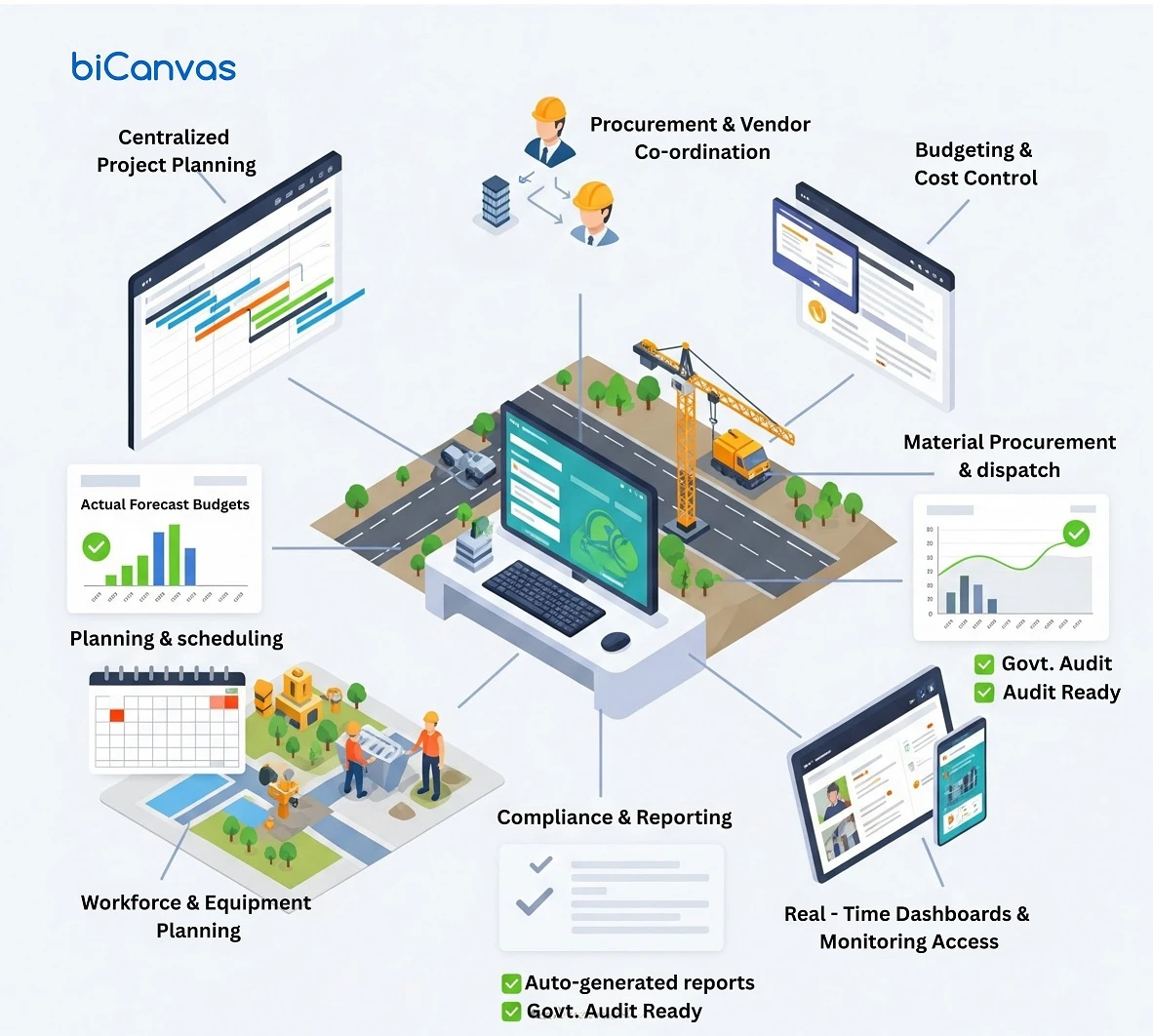
biCanvas provides ERP capabilities for construction, infrastructure and ready-mix concrete operations. Its RMC offering covers areas including production planning, material and inventory management, transportation and fuel tracking, plant and machinery management, and purchase management.
These capabilities are relevant to businesses seeking better coordination across plant and operational activities.
For organisations that also manage construction or infrastructure projects, connecting relevant operational information can help reduce the need to rely on disconnected processes.
Explore the biCanvas construction ERP solution to learn more about its project management, finance, inventory, resource allocation and equipment management capabilities.
Businesses can also review construction ERP software in India: how biCanvas connects projects, inventory, workforce and operations for a broader understanding of how construction-focused ERP can support connected business processes.
The right solution will depend on the organisation's operating model, plant requirements, existing systems and implementation priorities.
Conclusion
Ready mix concrete operations depend on the coordination of production, raw materials, transportation, equipment and delivery schedules. When these activities are managed through disconnected systems, even routine changes can create delays and make costs harder to understand.
A suitable ready mix concrete ERP can help businesses connect operational information, improve inventory visibility, coordinate dispatch and strengthen performance reporting.
For RMC suppliers, construction contractors and infrastructure businesses, the goal is to build a reliable flow of information from planning through execution and reporting.
biCanvas offers construction and RMC-focused ERP capabilities that businesses can evaluate against these requirements. The best starting point is to identify the operational gaps that affect your business most and determine which workflows need to work together.
Frequently Asked Questions
1. What is ready mix concrete ERP?
Ready mix concrete ERP is a business management system that helps coordinate RMC activities such as production planning, raw material inventory, dispatch, transportation, equipment management and operational reporting.
2. What are the benefits of using ready mix concrete ERP?
Depending on its capabilities and implementation, an RMC ERP can improve inventory visibility, production coordination, dispatch planning, cost monitoring and reporting. It can also help teams work with more consistent operational information.
3. Can construction company software manage RMC operations?
Some construction ERP platforms support RMC operations alongside project management, inventory, procurement and finance. Businesses should verify that the chosen platform covers their specific production, batching, dispatch and transport requirements.
4. What is the difference between construction ERP and infrastructure ERP?
Construction ERP generally supports project execution, procurement, inventory, budgeting and related business processes. Infrastructure ERP focuses on the requirements of infrastructure projects, which may include multi-site coordination, contracts, resource allocation, equipment and project-level financial control. The capabilities of individual platforms vary.
To understand how these requirements affect software selection, read biCanvas's guide to construction ERP for infrastructure businesses.
5. How does biCanvas support ready mix concrete businesses?
biCanvas offers RMC-focused capabilities covering production planning, inventory and material management, transportation and fuel tracking, plant and machinery management, and purchasing. Businesses should assess the available configuration and integrations against their operational requirements.
6. How should a business choose the right RMC ERP?
Start by mapping current workflows and identifying operational gaps. Then evaluate production planning, inventory controls, dispatch, transportation, equipment management, reporting, integrations, implementation requirements and scalability before making a decision.


 +91-85304 14111